
In short
The host explains why Shopify “Flows” (rule-based automations) are operational necessities, then walks through 10 specific Flow ideas to reduce chaos after purchase: alerts, fraud/returns controls, inventory monitoring, and retention/win-back.
Guests
No guests are interviewed; the episode is solo.
Guest backgrounds
Not applicable.
Key claims
Most stores underuse Flows (often <2 or hundreds/untrusted). Shopify lacks an undo button, so systems matter. Stats cited: 70% of carts abandoned; returns ~16% of annual sales. Flows can prevent missed fulfillment, reduce fraud/chargebacks, and improve repeat ordering.
Notable examples (10 flows)
Slack “High Value” order tag; “VIP stamp” tagging + OmniSend VIP email; “First order launch pad” for first-time buyers; “Fulfillment snooze alarm” if unfulfilled after 24 hours; “Fraud freeze” hold fulfillment for high-risk orders; “Low stock siren” when inventory drops; “Back in stock beacon” OmniSend alerts; “Return deadline bouncer” cancel returns not shipped after 14 days; “Return abuse radar” tag repeat returners; “Win back ladder” OmniSend win-back series after 90 days.
Written by AI. May contain mistakes. Listen to the episode to check what was said.
Chapters
Tap a time to open that second in VOThe Importance of Backup and Protection
0:36 to 1:34
Highlighting the need for backup solutions in Shopify to prevent chaos.
“Now, if you're using another email and SMS platform and you want to switch to OmniSend, which is a great idea, they will do the migration for you.”
Understanding the Operational Chaos
1:34 to 2:50
Discussing the chaos that occurs post-purchase and the necessity of efficiency.
“Your 1 % win today is all about Shopify flows.”
Introduction to Shopify Flows
2:50 to 3:40
Overview of Shopify flows and their importance for automating tasks.
“So today I'm going to show you 10 awesome Shopify flows that are easy to create.”
Common Mistakes with Shopify Flows
3:40 to 4:30
Explaining common pitfalls in setting up Shopify flows and how to avoid them.
“And then you can run specific actions like tag the customer, tag the product and change the status, email someone, put something on hold, post a Slack, add a row in a Google sheet, you get it.”
Operational Mindset for Shopify Flows
4:30 to 7:20
Adopting an operational mindset to effectively implement flows.
“Flow is available across all Shopify plans.”
Flow #1: The Slack High Five
7:20 to 9:36
Introducing the first Shopify flow to notify teams of high-value orders.
“We're going to be thinking like an operator, not a not a marketer.”
Flow #2: The VIP Stamp
9:36 to 12:35
Setting up a flow that automatically tags VIP customers and notifies the team.
“So, OK, number two, we're going to call this the VIP stamp.”
Flow #3: The First Order Launch Pad
12:35 to 14:00
Creating a flow that targets first-time buyers for special post-purchase communications.
“but we just happen to have one that is perfect for this one.”
Customer Engagement Flows for New Customers
14:00 to 17:00
Learn how to effectively engage first-time customers and address order fulfillment issues.
“Number four, I call this one the fulfillment snooze alarm.”
Implementing Fraud Prevention Measures
17:00 to 18:02
Understand how to set up a fraud freeze to manage high-risk orders effectively.
“should have their store backed up and protected with Rewind.”
Show all 16 chapters
Enhancing Email Marketing with AI
18:16 to 19:36
Explore how to integrate AI with your email marketing to boost effectiveness.
“At the top of the show I mentioned, OmniSend can now talk to ChatGPT and Claude.”
Managing Inventory with Low Stock Alerts
19:36 to 21:05
Learn to set up alerts for low stock levels and streamline inventory management.
“You just show up and all your campaigns and automations from Klaviyo will be set up and running in OmniSend, ready to go.”
Back in Stock Notifications and Customer Engagement
21:05 to 24:39
Find out how to create excitement with back-in-stock notifications for customers.
“low stock there's other ways to do this but i find this just an easy kind of way to keep your finger on the pulse of your stock.”
Streamlining Returns Management
24:39 to 28:04
Discover effective strategies to manage returns, including cancellations and tracking repeat returners.
“So what this one does is it cancels returns that were approved, but just never shipped back after a certain number of days.”
Customer Win Back Automation
28:04 to 31:36
Learn about implementing a win back ladder strategy to re-engage lapsed customers.
“is a known repeat returner, suppress them to your big sales because they just have a high chance of returning.”
Building Effective Shopify Flows
31:36 to 33:20
Discover best practices for creating and managing Shopify flows effectively.
“I'll put them in the show notes as well, too.”
Transcript
Automatic transcript. May contain errors.0:00OmniSend just shipped something that I've always wanted. You can now connect OmniSend to ChatGPT or Claude and just say, where can my email and SMS campaigns be making more money? And it actually figures it out. It reads your store data, all your campaign details, your store history, and it tells you and the insights are legit good. And even better, you can then say, okay, let's fix that or build that campaign. And it actually does it right from your chat. It's wild. Now, if you're one of our listeners, you can get 30 % off for three months on OmniSend. Just go to the show notes. There's a link there.
0:31Or you can just use the code J30, J-A-Y-3-0 when you sign up. Now, if you're using another email and SMS platform and you want to switch to OmniSend, which is a great idea, they will do the migration for you. Just give them five days and then you show up with everything set, ready to go. Now, they've migrated thousands of stores from Klaviyo. And on average, they're saving 35 % on their email and SMS bills. If you're listening to this show, you clearly care about your Shopify business. If your store isn't backed up and protected, it could all be for nothing. That's why I tell every store owner I know who cares about their business, you 100 % need Rewind installed.
1:07It's a non-negotiable for me. One bad CSV import, one app that edits your store the wrong way, which has happened to basically everyone I know. One bulk edit gone wrong, and now AI making changes for you. Listen, Shopify does not have an undo button. Rewind is the undo button. Go to shopify1percent.com slash rewind for 30 days free on us. Links in the show notes too. Your 1 % win today is all about Shopify flows. Now, the reason I want to talk about this is because you can do a lot of things right. You can have the best ads, you can have amazing marketing, and you can still lose. Because at the end of the day, the real thing that can kill your business isn't your cost per clicks or cost per view.
1:58It's the chaos after the click and after the purchase and the operational chaos that ensues after. Now, here's a few stats before I dive into it. Obviously, this one I've mentioned before, 70 % of all carts get abandoned. And returns are around 16 % of annual sales for stores, which represents hundreds of billions of dollars in merchandise coming back. So if you're a store doing, I was going to say one to 20 million, but really even beyond that, your job isn't just marketing. Your job is plugging all the leaky holes without hiring 12 people and putting yourself out of business. because it is very tempting as soon as something starts to get overwhelming, thinking I need a person for that.
2:45And it's a really easy way to spend more than you have and put your company out of business. So today I'm going to show you 10 awesome Shopify flows that are easy to create. We're going to rank them starting from easy all the way to a little bit more advanced. And I tried to pick 10 that don't require extra apps. the only extra ones are going to be email and sms because so many flows have an email or sms aspect to it and i am assuming that everyone here has an email or sms tool the tool that we're going to be using for these is omni send you can use any tool you want but that's my preferred one so that that really is the only tool now if you can implement these you can save yourself so much time potentially a headcount and make your life a lot easier so shopify flow is basically if you haven't used it it's a if this then that kind of a process inside your shopify admin some people refer to it as like zapier it's really just a rule-based flow that can trigger different events based off certain actions that happen on shopify so it can check conditions like a certain how many times a customer has bought inventory, you name it, there's hundreds.
4:02And then you can run specific actions like tag the customer, tag the product and change the status, email someone, put something on hold, post a Slack, add a row in a Google sheet, you get it. So if you have got a DTC store, flow is the difference between, oh, we're scaling and we're scaling without every day turning into a nightmare and hundreds of support tickets. So a couple of quick things. Flow is available across all Shopify plans. So it used to only be on Shopify Plus. So if you didn't know that there was an update and you now have it on your plan, you should definitely check it out. I've actually talked to a few stores that didn't think they had it because you're busy and you don't have time to poke around and everything.
4:47It's a Flow app that you install. It's a free app, but it's a Shopify app and it gives you access to Flow. and it's also you can build these flows with sidekick now which i've been playing around with and it's awesome you can actually explain to sidekick that you want to flow to do a certain thing and it will suggest a flow for it so i'm going to give you some really good examples here but also play around with sidekick and tell it what you want to do and it will build a flow for you that you can actually implement it and test it so okay so here's uh here's what i see i see at the 1 million to 20 million ranges, everything works until volume hits.
5:30And that's when all the cracks start to show. The fraud starts slipping in. Inventory gets weird and challenging and orders go late, returns pile up and retention becomes a habit of just discounting because operators don't lose because they're lazy. They lose because they don't have systems. Now's the time to get these systems in, even if you're doing 100 million a year. and flow is one of the cleanest ways that you can build this fast so most stores they do one of two things they set up a couple automations in fact the average shopify store has less than two flows set up which is mind-boggling you definitely should have more than two but i think there's some stores that have 20 or 30 and a lot that have zero so they have they set up one or two and they kind of call it done and they just kind of keep hiring people knowing that not knowing that there is better solutions or they build this kind of automation spaghetti and you go in their flows and they've got hundreds of flows.
6:27Nobody really knows what they do, what fires them. Often most of them are broken and everyone just stops trusting flows. So we don't want to do either of those. We want to build kind of a flow ladder and we'll start with easy, like I said, and then we'll move to more advanced. And these are examples that I think are ones that anyone can implement, but there are literally hundreds out there. If you just go and Google and you search best Shopify flows or ideas for good flows, there's Reddit threads on it. There's blog posts. There's a ton. So this is by no means an exhaustive list, but what we're going to make sure we have is every flow will have a clear name explaining what it does.
7:04It will have a single purpose. Like it'll do one thing. You can get overly complicated with flows that do too much. So they're going to be one purpose flows and an owner flows should have an owner. So, OK, so here's your operational mindset approach. We're going to be thinking like an operator, not a not a marketer. So we start with an internal alerts and tags and we do inventory and fulfillment. And then we're going to do fraud and returns. And then we're going to do retention and win back. And that's how today's list is organized. So let's get into it with flow number one. I just call this the Slack high five.
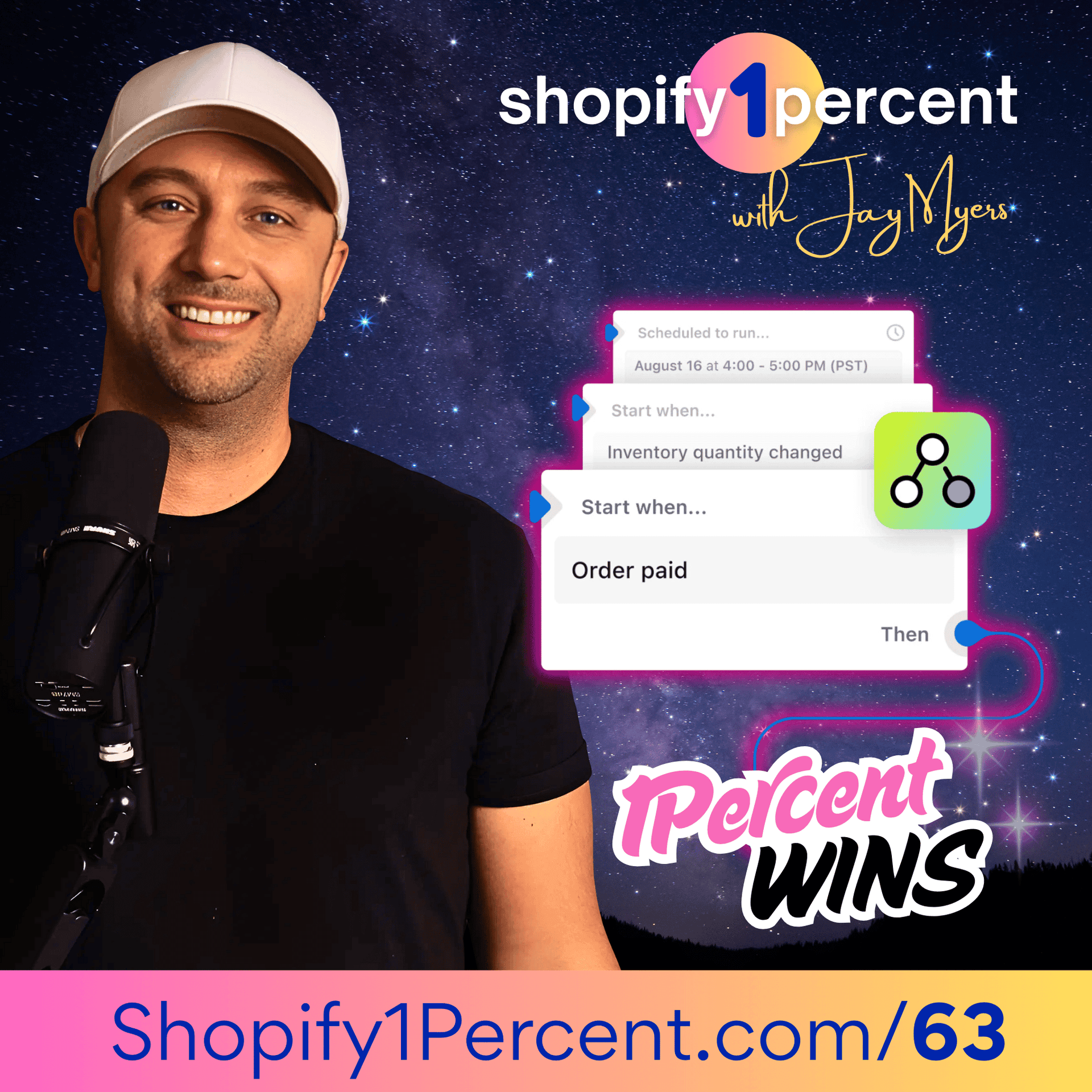
7:44And this is the easiest one to set up. OK, remember, we're going easiest to heart here. So what this does is when a high value order comes in, it pings Slack and it tags the order. And so basically what it does is when an order is paid, if the condition is over a certain threshold, so whatever is a high value order for you, the action is going to be you send a Slack message and you add an order tag high value. and what adding that order tag does is it lets you filter by that in your order admin also lets you trigger different actions from it as well so here's how you set this up you're going to go into apps and shopify flow first of all this is shopify flow is an app that you install you click create workflow trigger order paid and then condition is going to be order total and now choose what you consider a high value order that you want to get notified is that 250 500 a thousand It's going to be different depending on your average order value of your store.
8:43But choose what is a high order value. Now, your action is going to be Slack. Send message to orders channel or call it a high value orders channel, whatever your channel is in your store. OK, and also action, add order tag. And I use just high underscore value and then click turn on and then it's done. And now you're going to stop missing those moments where you should be reaching out to someone or upgrading someone's shipping or adding a gift or a note or a little white glove service or something. So those customers remember like the 80 20 percent rule is true. It's more like 90 10 like there's going to be 10 to 20 percent of your customers that you make 80 to 90 percent of your revenue on.
9:27So you want to make sure that they are easily identified. You see them, you know them, you get pinged when they come in. So this first flow does that. That's the slack high five flow. So, OK, number two, we're going to call this the VIP stamp. Now, what this does is it's it's actually sounds simple, but you can do a lot with it. So it's going to automatically tag VIP customers once they cross a threshold and it will alert your team. And so how this works is when an order is paid, you're going to have a condition and you can pick a number of orders. So the condition can be order count greater than two, greater than three, greater than five, whatever you constitutes a VIP customer or total spent condition, total spent greater than five hundred thousand.
10:13And then the action add customer tag VIP. And also I would add action slack ping to message a certain channel. Now, I would also trigger an email with OmniSend. so this can be an action that triggers a event in omni send and you can have these automation set up just call it became vip and this can trigger a whole flow that sends out a series of emails that first of all notifies them thank you you for becoming a vip customer you can give them some exclusive offer some let them know about your loyalty program because they've spent so much let them know about some early access to some products coming up but it can actually trigger a whole flow now i'm gonna give you one bonus tip here because we have a an an perfect app for this at bold it's called custom pricing and what it does is it lets you change the price for different customers based on their tag so if you've got a vip customer who whatever that is they've spent a certain amount or bought a certain amount give them vip pricing this does wonders to retention.
11:25So after they've spent a certain amount, trigger that email flow with OmniSend, let them know they became a VIP, but also they've locked in VIP pricing of 5 % off, 10 % off. And with the custom pricing app, they don't have to do anything. There's no coupon codes or anything like that. They just log in. So like as long as that customer logs in, they literally see all the prices on the website change. And what I would recommend is actually have multiple tiers. so you have this flow set up and then you have another one called vip gold or vip platinum and you can have you know five percent off for the first level ten percent off for the next level 15 and let them know in that email from omnisend like you just unlocked you just became a vip customer you'll now when you log into your store you'll see all the prices have been reduced to your VIP price, which is 5 % off everything.
12:16After you spend$1 ,000 more, you will unlock VIP gold pricing, which is 12 % off everything, whatever it is. That is really easy to do with the custom pricing app. You can, it doesn't change anything on your site for any other customer only when VIP customers log in. So I'll put a link to that as well too. I don't generally promote our products, but we just happen to have one that is perfect for this one. And so why not? OK, the third flow I wanted to highlight was what I call the first order launch pad. And this is just a flow that identifies first time buyers. And it triggers a special post-purchase automation in OmniSend just for them.
12:55So the trigger is order paid and you want to have a condition of order count equals one. and then the action is going to be add order tag first underscore underscore order and then set up an action in omni send and you can call whatever you want but first order paid which then kicks off a full automation series now when you have someone who places an order for the very first time you want to send them more details about how to use the product how to set it up expectations and send some that's on day zero, like the first day they order it on the second or third day, send some UGC like videos from your customers, some tips and tricks on the fifth day, send some companion product recommendations or add ons or maybe replenishment after day 20.
13:45Now, some of those things you also want to send to a customer who's ordered many times from you. But there's certain things you want to send specifically to someone the very first time they order from you. remember when you get a first order you don't have a customer you have a lead it's someone who's trying you out they're trying your product they're definitely not committed they're not a repeat customer for life they're trying you so your job is to win them over so anyways this flow is great for that you can also have it trigger an event that goes to slack so you get notified it's a first first time customer maybe you want to reach out maybe you want to thank them that all depends But for sure, trigger a custom email series with OmniSend or whatever email you use.
14:32Number four, I call this one the fulfillment snooze alarm. So what this one is going to do is it alerts your team if an order goes unfulfilled for 24 hours. So things get missed. People forget to ship. Something gets stuck or for whatever reason. And this is an alert to make sure that it doesn't sit past 24, because when it does, that's when those negative reviews start happening. And the support tickets with costs, cost time, cost people. So it's very easy. Trigger is going to be when order created and your action is wait equals 24 hours. And you're going to have a condition if still unfulfilled.
15:13create an action send message to slack or slack message to have a channel called ops or 24 plus hours something where you get alerted so you know so when there's every day you go in if there's any orders in there past 24 hours you can address it i would also have an add an action on this flow called add order tag late in my shopify order panel that i can see any order over 24 hours and so if you have that tag late ship or 24 plus hours, whatever, create a search in your order admin for all orders that have that tag and then save that view. And then every time you come into your order admin, you can see any order that's over 24 hours that you can address really quick.
15:57This is going to make a huge impact in all those emails. Where's my order? The negative reviews, people complaining on social media, all those things that you want to get rid of. Okay. Number five, we're slowly, we're getting into kind of like the medium level hardness now. So this one's called the fraud freeze. And it's not that hard to call it medium, but it's pretty easy. But it's it's going to automatically hold fulfillment for high risk orders and alert your team. So what this one how to set this one up, you create a trigger, and it's called order risk analyzed. So that means that Shopify has analyzed order risk, that's the trigger, order risk analyzed.
16:38Your condition is going to be high risk. So the trigger, if it analyzed risk and then the condition high risk, there's different conditions, sorry, different levels of risk that Shopify analyzes in order. But if it's high risk, then you're going to set an action, hold fulfillment. At the beginning of the show, I told you why everyone's serious about their Shopify business should have their store backed up and protected with Rewind. There is no excuse not to. There literally is no undo button for Shopify. Shopify's own terms actually say that your data is 100 % your responsibility. Your products, your theme, your customizations, your settings, everything.
17:20They don't back up any of it. And no, a CSV export does not cover it. With CSV exports, there's no images, no meta fields, no themes, settings, etc. Nothing. I was talking to the people at Rewind about a brand where one team member actually ran a bulk update and accidentally overwrote 11 ,000 products. Orders, customers, contacts, all of it gone in a single action. Luckily though, with Rewind, it was a simple one-click rollback. It could be anything. A bad CSV import, a random app you just installed that messes everything up, or all of these AI tools that everyone's using to manage their store now.
17:56I have heard so many horror stories. Rewind just gives you peace of mind no matter what. If you don't have Rewind installed, you absolutely should have it. Go now and get it. Shopify 1 % dot com slash Rewind. You'll get an exclusive 30 days free on me. The link is also in the show notes. At the top of the show I mentioned, OmniSend can now talk to ChatGPT and Claude. And I want to tell you why that's even bigger than it sounds. So if you missed it, quick catch up. OmniSend is what I use for email and SMS on every Shopify store I work with. plus for this show as well. And you can now connect your AI, Cloud Chat, GPT straight to your OmniSend account, your data, your campaigns, your flows, everything.
18:40You open a chat and you ask, what should I focus on this week to make more money? And it will come back with real answers about your store, which flow is underperforming, which automation needs improvement, which customers are going quiet, what's missing, everything. My favorite part though, is AI segments. I used to build these by hand clicking through filters forever. Now I just type something like customers who bought twice but ignored my last campaign and it just builds it. And anything it writes already sounds exactly like your brand because it pulls from all your previous emails from your website, your logo, your color, your voice, everything.
19:17I've been doing this for 15 years and this is the closest I've ever felt to having a full-time marketer sitting right beside me. I have a link for you in the show notes that will give you 30 % off for your first three months or you can just use code J30 when you sign up, J-A-Y-3-0. If you're ready to migrate from Klaviyo to OmniSend like thousands of others, they will do everything for you. You just show up and all your campaigns and automations from Klaviyo will be set up and running in OmniSend, ready to go. And usually at 35 % less what you were paying Klaviyo. And I would set another action, tag order, fraud underscore review.
19:53And then you want to have an action that posts a slack to a message fraud review channel and also sends an internal email. So maybe you have an email that goes to a specific person on your team or a group of people that need to review any order that is high risk. Shopify doesn't automatically stop an order because it has high risk. This is up to you if you want to hold fulfillment and review it. So maybe you want to look up the person's address, look up their email. There's databases you can put people's email in to see if they've been reported for fraud on other websites. But what this does is you just you stop shipping obvious fraud orders without slowing down.
20:33And you don't have to slow every other legitimate order. Right. You want everything who's legitimate to go out fast. But ones that potentially are fraud, it's OK to slow those down a little bit because those lead to chargebacks, which you get too many of those. you pay higher credit card rates or you can even lose your ability to charge on a credit card and lots of bad things so this is a great one to set up the fraud freeze that was number five now number six the low stock siren this is uh an alarm that when a variant drops below a certain threshold it will alert slack and it can log it also in google sheets so you have a log of anything that's low stock there's other ways to do this but i find this just an easy kind of way to keep your finger on the pulse of your stock.
21:15So the way you set this up is you're going to create a trigger that inventory quantity changed. So that's the trigger. So inventory quantity change. Now the condition is going to be less than whatever here, less than five, less than 10. And this depends on obviously the velocity of how you sell your products. If you sell 20 a day, well, you might want to get alerted when it's less than 50. But when you get within less than maybe a week's worth of inventory or whatever your lead time is to get more inventory in, that's when you want to probably get alerted. So then the action is add product tag, low stock.
21:55So that adds a tag to the product, low stock. And then I would also send another action to send a Slack message. And you can send this with the skew so the the item plus number remaining so this will send a specific message to a slack channel and it'll say you know nike whatever shoe 17 remaining and it's just a good alert to have like really be on the pulse of your inventory uh you can of course go and shopify and run all these reports but you know people don't do that all the time and i don't know maybe someone just buys a whole bunch one day and you get caught off guard so it's a great way to have your finger on the pulse on this i would also add an action to google sheets to add row to a reorder tracker so if you're reordering once a week or something you have a google sheet that has a row for every single thing that you need to reorder and then obviously the next one that we're going to do is the back and stock reminder i call this the back and stock beacon So we had the low stock siren.
22:58And even though we have that, things still go out of stock. But then we want to do something when they come back in stock. And so this is the back in stock beacon is when a variant or any product comes back in stock, it will trigger an omni send message to people who care about that product and who might be interested in coming back in stock. And so the way this works is you are going to set up a trigger variant back in stock. That's your trigger. Your action is going to be remove low stock tag. Because remember earlier in the last one, we added a low stock tag. So this one is going to remove that.
23:33That's well, that's optional. You don't have to do that. But if you did the previous flow, you'd want to have that on there. Then you're going to have an action for OmniSend to trigger event back in stock or whatever you called it in OmniSend. Now, you set up this automation in OmniSend. this can send an email, an SMS and automation to notify subscribers that, hey, you're the product. This product is back in stock. It can email specific people or it can email everyone like if it's or engaged, engaged customers. And maybe it's something or people who have been added in to your list in the last 90 days, I'll say, maybe like maybe not people from years ago.
24:15But, you know, you often get these back in stock emails that it's not something you specifically clicked on, like, say, notify me when back in stock. But it's kind of secretly a great marketing tool. So when something is back in stock, it sends to everyone who's new on your list in the last 120 days. And it's a way to just kind of create excitement and buzz. So that's called the back in stock beacon. OK, the next one is the return deadline bouncer. So what this one does is it cancels returns that were approved, but just never shipped back after a certain number of days. And this happens a lot.
24:50A customer submits a return, but they just don't get around to sending it back or they maybe decide to keep it or they give it away or something like I've done this before. I've created a return and then just never returned the product. And then these unfinished returns just sit like a zombie graveyard full of unopened returns. But it also can cause issues with inventory because it ties up another inventory, depending how you have your return system set. So there's a number of issues with it. So it's good to clear these out. It's really simple. This flow, you just will create a trigger called return approved.
25:27So that's your trigger. now whatever the date is you're going to set an action for wait equals 14 days or whatever your acceptable return time is so when someone creates a return do you give them 14 days do you give them 30 days whatever that is so action and then it's wait equals 14 days let's just say and then a condition if return not closed so the trigger is return approved then wait 14 days and then condition if return is still not closed action set up an action cancel return and then i would also set up another action post a slack message to a support channel just saying return this return for this person this email canceled it just notifies the slack team makes it easy for them to see if that person's submitting a ticket that there's a log of it there so this kind of just cleans up all those open returns, but also any inventory that's kind of tied up in limbo for them when they come back, which you don't want to have.
26:31Number nine, the return abuse radar. This one tags repeat customers. Sorry, it's not repeat customers, repeat returners who have a bit of a habit of returning things too much so you can handle them a little bit differently without punishing everyone. And so the way this one works is it you're going to have a trigger when a return is approved. And then you set a condition, which is customer already tagged has return. So to set this up, the trigger is return approved. Now, when someone initially creates a return, you're going to want to make sure you tag them has return. But this one will have the condition customer tag contains has return.
27:16And if it does, then you create a you say yes, branch, you create a branch and then you say add repeat returner. So you add that tag to them. And then I would also send a Slack message to support so that so they're aware of it. And then if they don't have that tag, so if they don't have the tag has return, then I would have no branch. And then just add the tag has return you want to give them that normal return and then a kind of a cool thing you could do here is you could track an omni send event and call it return approved or repeat returner and i would recommend suppressing your aggressive promos to this segment so if you've got someone who is a known repeat returner, suppress them to your big sales because they just have a high chance of returning.
28:13I don't know that one's up to you, but I think that one's worth considering. Returns are very costly because they can, you know, if you get 20 % of customers that return something, it kind of wipes out all of the profit from a sale or promo you run. So suppressing them might be a good idea. Okay, the last one, the win back ladder, I'm calling this a ladder because there's a few steps in it. But what this one does is when a customer lapses, you know, and that might be basically after 60 days, 90 days, 120 days, whatever you consider a customer lapse, this is going to trigger an OmniSend win back automation.
28:50So here's how it works. You first of all, build a segment in Shopify. So if you go to Shopify, go to customers, go to segments. You can create a segment and set, create that with the last order date of however many days you want. Let's call it 90 days. So build that customer segment 90 days. Now in flow, you're going to create a trigger customer joined segment. So segments are, if you haven't played around with segments, are these predefined groups of customers based off of a rule that you define. Now in flow, the trigger is as soon as a customer joins them, you know, these segments can be off of like a whole bunch of different criteria, what they buy, how much they buy certain products, how much they spend visits, all kinds of stuff.
29:36So trigger customer join segment, and then action is going to be an OmniSend event and enter win back. Now in OmniSend, I would have, this is where the kind of the ladder, I call it a three touch ladder series where the first touch. So they haven't ordered for 90 days. Now they're going to get an email. What's new? Best sellers, something to just kind of warm them up. You know, they haven't bought from you for a while. I'll send them what's new. Send them some best sellers. That's touch one touch to send them some more proof, some more UGC, some reviews, something just to kind of reinforce the value of your product.
Read the full transcript
30:16And then touch number three, only if needed, you can set rules in OmniSend where if a customer converts from one of an email, you don't continue the automation. So like if they don't buy from email one or email two in the automation or you can have multiple emails there, this could be email one, two, three, four, have a unique offer. And I'd say this only if needed, because if they buy, you don't want to then offer them 20 % off a product that they just paid full price for. So make sure you set that to only trigger if they didn't convert on one of the previous ones. And this is a great way to win back customers, keep them engaged.
30:56And remember, every single time you get a customer to reorder, you increase the chances of them reordering again. And the exact numbers, it's actually staggering. It's like if you get a customer to order a second time, there's like, I forget what it is. It's like there's a 46 % chance. No, sorry. You increase the chances of them ordering a third time by 46%. And if they do order a third time, it increases the chances of them ordering a fourth time by 58%. It goes up each time they become more loyal, better customers. So getting them to order a second time and a third time is so important. Okay, so those are the 10.
31:37I'll put them in the show notes as well, too. like just the bullet points of the what the actual triggers were and actions and all the rules. I don't have visuals for all of these, but I think you'll get it from the bullet points of just what the actions are. I just kind of made the notes. So now here's the key. Most stores are going to still fail with flow because, like I said earlier, they they build one and it fires once or twice and they just stop or they build too many. and they don't know what any of them do and their flow directory is a is a mess and no one knows how to operate anything so they just avoid it so here's your operator rule and kind of guidelines build three today don't go and build all 10 of these just build three and start with the easiest ones the slack high five the fulfillment snooze alarm you know if an order sits around for 24 hours the low stock siren.
32:34Just build those three. They're easy. Pretty much every store should have those. Can't think of many stores that wouldn't want that. And just start with those three. Make sure they work. Make sure there's no issues. It's clear. Give them names that everyone understands. And then next week, build three more. And then next week, three more. And then don't just stick to the ones that I listed here. Go out and do some research. There's literally hundreds of different ideas out there of flows you can build because at the end of the day if you're doing any kind of revenue on shopify flows are not a nice to have they are operational requirements and it can be a headcount if you are sorry it can be a headcount you don't need to hire so pick three today go out build them and then when you save a couple hours a week Don't celebrate, build the next one because the stores that are going to be winning in the next few years are ones that have operational excellence.
33:35OK, and the last flow I want you to build is a flow directly from this episode to the podcast player that you're listening in. Apple podcast, Spotify to the review section. And I want you to click that five star review. I wish I could build a flow that a listener listens to the podcast and then goes and leaves a review. But I have to ask you and they mean a lot. They're actually the main way that this show gets recognized. It helps with our rankings and it helps other people find out about it. I read every single one. So if you leave a review and you write something in there, I read it. And if you do, let me know.
34:15Shoot me an email because we do have gifts for people. Just kind of something special. it's jay at shopify1percent.com thank you so much it means the world make sure you're subscribed so you get notified every time we release a new episode and i will see you on the next episode
From the publisher
In this episode, we break down how Shopify Flow works (triggers, conditions, actions) and walk through 10 best Shopify flow automations you can build today, ranked from easy to more advanced. You’ll learn how to use Shopify Flow to tag and route high-value orders, identify VIPs, protect yourself from fraud, prevent inventory surprises, clean up return “zombie” cases, and set up winback systems that don’t rely on constant discounting. We also cover where tools like Slack, Google Sheets, Sidekick, and Omnisend fit in to turn Shopify into an actual operating system for your brand.
💡 BIG IDEAS & TAKE-AWAYS:-
What are the 3 Shopify Flow automations that save the most time this week (before you touch anything advanced)?
-
How do you build a Shopify “flow ladder” so you don’t end up with automation spaghetti nobody trusts?
-
Which Shopify triggers should you use to freeze fraud without slowing down legit customers?
-
How can a Shopify return system accidentally turn into a zombie graveyard—and what’s the clean fix?
-
What’s the right way to run a winback ladder in Shopify + Omnisend so you’re not training customers to wait for discounts?
- Shopify Flow (App Store): https://apps.shopify.com/flow Shopify Flow (Help Center): https://help.shopify.com/en/manual/shopify-flow Shopify Flow Triggers Reference: https://help.shopify.com/en/manual/shopify-flow/reference/triggers Shopify Sidekick (Getting started): https://help.shopify.com/en/manual/shopify-admin/productivity-tools/sidekick/set-up Omnisend: https://shopify1percent.com/omnisend Integrate Shopify Flow with Omnisend: https://support.omnisend.com/en/articles/3713831-integrate-shopify-flow-with-omnisend Slack: https://slack.com Google Sheets: https://www.google.com/sheets/about/ Bold Custom Pricing (Shopify App Store): https://apps.shopify.com/customer-pricing Zapier (referenced comparison): https://zapier.com Shopify Customer Segmentation: https://help.shopify.com/en/manual/customers/customer-segmentation
What it does: When a high-value order hits, it pings Slack and tags the order.
How it works:
-
Trigger: Order paid
-
Condition: Order total > your threshold
-
Actions: Send Slack message + Add order tag high_value
How to set it up (Flow):
-
Apps → Shopify Flow → Create workflow
-
Trigger: Order paid
-
Condition: Order total > (choose $250 / $500 / $1,000)
-
Action: Slack → Send message to #orders
-
Action: Add order tag = high_value
-
Turn on
Benefit: You stop missing the moments where you should upgrade shipping, add a gift, or do white-glove handling.
2) The VIP Stamp Machine (easy)What it does: Automatically tags VIP customers once they cross a threshold—and alerts the team.
How it works:
-
Trigger: Order paid
-
Condition (pick one):
-
Customer orders count ≥ 2 or 3
-
Customer total spent ≥ $300 / $500 / $1,000
-
-
Actions: Add customer tag vip + Slack ping
How to set it up:
-
Trigger: Order paid
-
Condition: customer threshold
-
Action: Add customer tag vip
-
Action: Slack message: “New VIP: {{ customer.email }}”
Optional (Omnisend):
-
Action: Omnisend → Track event became_vip
-
In Omnisend, start a VIP automation (early access, drops, loyalty perks)
Benefit: VIP treatment stops being random and becomes consistent.
3) The First‑Order Launchpad (easy → medium)What it does: Identifies first-time buyers and triggers a post-purchase automation in Omnisend.
How it works:
-
Trigger: Order paid
-
Condition: customer orders count = 1
-
Actions: tag order first_order + Omnisend event first_order_paid
How to set it up:
-
Flow trigger: Order paid
-
Condition: orders count = 1
-
Action: Add order tag first_order
-
Action: Omnisend → Track event first_order_paid
In Omnisend (automation suggestion):
-
Day 0: usage/setup + expectations
-
Day 3: UGC + tips
-
Day 10: companion product or replenishment
Benefit: You stop letting “one-and-done” customers become the default.
4) The Fulfillment Snooze Alarm (medium)What it does: Alerts your ops team if an order is still unfulfilled after 24 hours.
How it works:
-
Trigger: Order created
-
Action: Wait 24 hours
-
Condition: fulfillment status = unfulfilled
-
Actions: Slack + tag late_ship
How to set it up:
-
Trigger: Order created
-
Action: Wait = 24 hours
-
Condition: if still unfulfilled
-
Action: Slack message to #ops
-
Action: Add order tag late_ship
Benefit: Less “where’s my order” tickets and fewer refunds caused by delays.
5) The Fraud Freeze (medium)What it does: Automatically holds fulfillment for high-risk orders and alerts your team.
How it works:
-
Trigger: Order risk analyzed
-
Condition: risk level = High
-
Actions: Hold fulfillment + tag fraud_review + notify
How to set it up:
-
Trigger: Order risk analyzed
-
Condition: High risk
-
Action: Hold fulfillment
-
Action: tag order fraud_review
-
Action: Slack + internal email
Benefit: You stop shipping obvious fraud without slowing down every legitimate order.
6) The Low‑Stock Siren (medium)What it does: When a variant drops below a threshold, it alerts Slack and logs it in Google Sheets.
How it works:
-
Trigger: Product variant inventory quantity changed
-
Condition: inventory ≤ threshold
-
Actions: tag product low_stock + Slack + add row to Google Sheet
How to set it up:
-
Trigger: inventory quantity changed
-
Condition: ≤ (5 / 10 / 20 — depends on velocity)
-
Action: Add product tag low_stock
-
Action: Slack message with SKU + remaining
-
Action: Google Sheets → Add row to reorder tracker
Benefit: Fewer stockouts and fewer "we ran out again" meetings.
7) The Back‑In‑Stock Beacon (medium → advanced)What it does: When a variant comes back in stock, it triggers Omnisend to message people who care.
How it works:
-
Trigger: Product variant back in stock
-
Actions: cleanup tags + Omnisend event back_in_stock
How to set it up:
-
Trigger: Variant back in stock
-
Action: remove low_stock tag (optional)
-
Action: Omnisend → Track event back_in_stock
-
In Omnisend: automation to notify subscribers (email + SMS)
Benefit: You monetize restocks instead of hoping customers “check back.”
8) The Return Deadline Bouncer (advanced)What it does: Cancels returns that were approved but never shipped back after a set number of days.
How it works:
-
Trigger: Return approved
-
Action: Wait 14 days
-
Condition: return still open
-
Action: Cancel return + notify
How to set it up:
-
Trigger: Return approved
-
Action: Wait = 14 days
-
Condition: if return not closed
-
Action: Cancel return
-
Action: Slack message to #support
Benefit: Cleans up inventory limbo and eliminates return zombie cases.
9) The Return‑Abuse Radar (advanced)What it does: Tags repeat returners so you can handle them differently—without punishing everyone.
How it works:
-
Trigger: Return approved
-
Condition: customer already tagged has_return
-
Actions:
-
If yes → add repeat_returner + notify
-
If no → add has_return
-
How to set it up:
-
Trigger: Return approved
-
Condition: customer tag contains has_return
-
Yes branch: add repeat_returner + Slack to #support
-
No branch: add has_return
Optional:
-
Track Omnisend event return_approved to suppress aggressive promos for return-risk segments.
Benefit: Protects profit quietly, and keeps policy enforcement consistent.
10) The Winback Ladder (advanced, revenue-heavy)What it does: When a customer becomes “lapsed,” it triggers an Omnisend winback automation.
How it works:
-
Build a Shopify customer segment: last order date > 60/90 days
-
Trigger: Customer joined segment
-
Actions: Omnisend event entered_winback + tag winback
How to set it up:
-
Create segment in Shopify (choose 60 or 90 days)
-
Trigger: Customer joined segment
-
Action: Omnisend → Track event entered_winback
-
In Omnisend: 3-touch ladder
-
Touch 1: what’s new + best sellers
-
Touch 2: proof (UGC / reviews)
-
Touch 3: unique offer (only if needed)
-
Benefit: Retention becomes a system, not a discount emergency.