Ask ChatGPT


 How I AI
19 Oct 2026 · 37m · 16 chapters
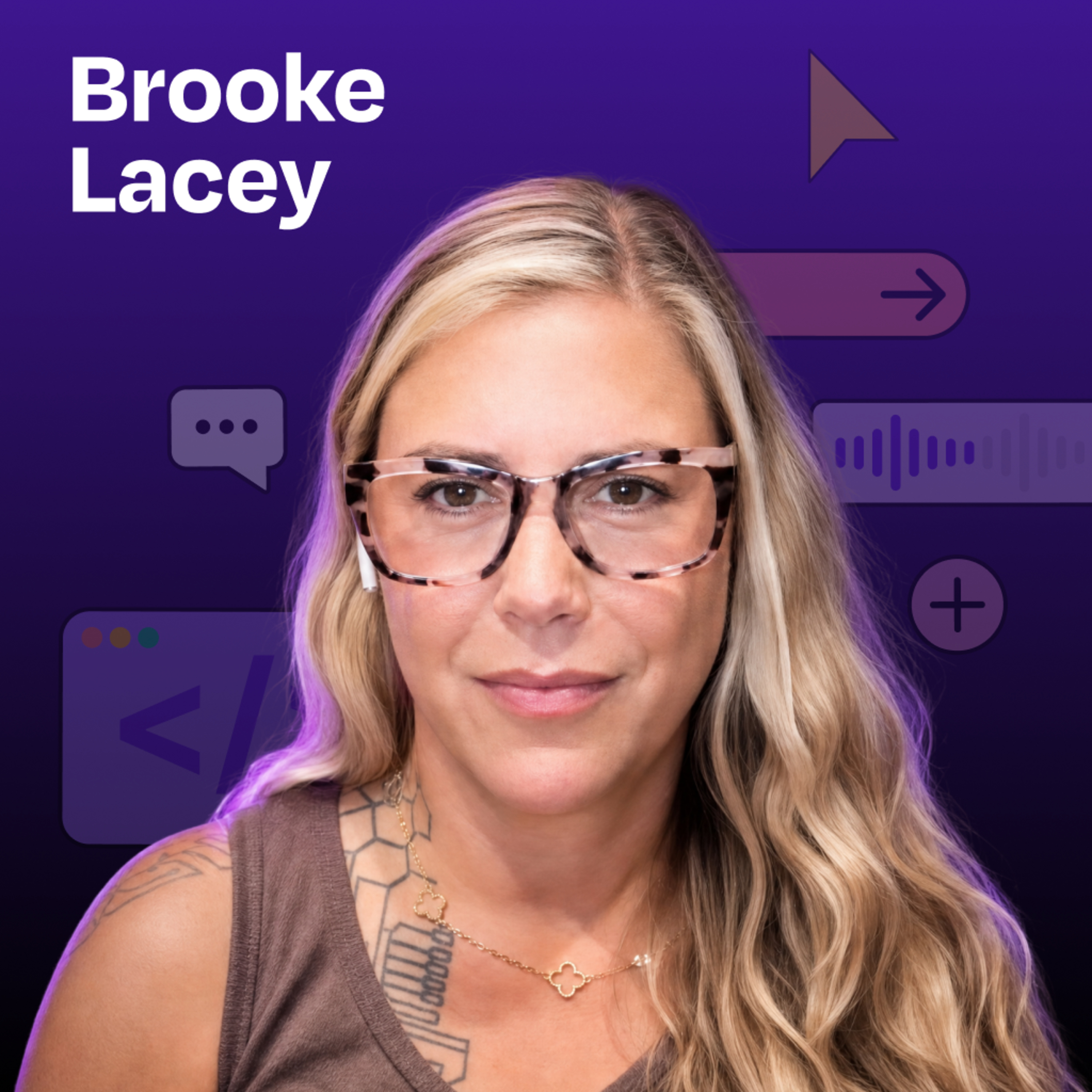
Brooke Lacey explains how she uses Claude Code (via terminal/Cloud Code) to automate short-form TikTok editing: silence detection, Whisper word timing, face tracking/cropping, shot-size selection, cut placement from a “edit is text” TSV file, auto captions, and sync checks—producing a vertical video with “perfect TikTok cadence” from a single raw take. She also describes using her TikTok corpus (downloaded to Google Drive) plus TikTok comment scraping to generate new content ideas and scripts in her voice.
Brooke Lacey, long-time video creator/tech professional (25 years in tech), Gen X; 200k+ TikTok followers; runs/creates content for her app (renamed to Zosia) and teaches AI via a free phone app.
“No timeline, no project file, no editor”; Claude “cuts” videos “with no hands”; the same edit text generates multiple aspect ratios; TikTok backend can’t be scraped unless logged in.
Her “Women in Web 3” panel clip cut from ~1:05 to ~55 seconds; a “WTF even is blockchain” two-person absurdity format; her “Women in Web 3” comments used to spawn new recording ideas.
Written by AI. May contain mistakes.
Brooke shares her background and challenges in video editing for TikTok.
“I think that you know, but I would like your audience to know that I'm like the biggest fangirl.”
Brooke discusses how Claude Code revolutionized her editing process.
“Like video, short form video and like little live stream stuff has not, I've been doing that for a long time.”
Learn how Brooke crafts engaging short-form videos with precise editing.
“And even though there's some videos that I'm like literally just sitting in my car, no makeup on, and have, you know, hundreds of thousands of views, you still have to get it correct so that it even looks natural.”
Explore the technical aspects of using Claude for video processing.
“of just, you know, I didn't, it was just all the whole thing.”
Brooke explains how automation through Claude simplifies her editing workflow.
“And all of a sudden it's like pop and then it opens the video.”
Learn how AI can enhance video editing and create dynamic content.
“up the simulator, take a screenshot of the app and use that to put into this video.”
Explore how to leverage existing tools and AI to improve TikTok content.
“I was like, just zoom in when it's funny.”
Understand how to analyze feedback and refine content creation for TikTok.
“So the thing with TikTok, first of all, on a technical level is that their algorithm, their backend software, their backend, whatever is so precise that you can't scrape it.”
Learn how to train AI to mimic your unique style and cadence in videos.
“Well, on the phone, you can reply with a video.”
Discover techniques for mining audience comments and creating new content.
“cuts um how do I tell a story how do I you know create a peak in a story all that kind of stuff and then it's using all that knowledge not only to make your cuts better but also give you scripts.”
Get insights into the evolving landscape of content creation and AI tools.
“learn your style, but then you also use that like style analysis to do a couple things.”
Explore the unique experiences of different generations with technology.
“I would like to make a plea for more experienced technologists to share their knowledge on these new platforms.”
Learn about the speaker's journey through significant technological changes.
“And I wish we had hours and hours and maybe you'll have me back.”
Discuss the importance of sharing technological experiences and stories.
“And a lot of people don't really know what that was.”
Understanding how to effectively prompt AI systems for better results.
“And so, you know, I had the same experience as you, which is I have seen technology shift after technology shift.”
Discover how Brooke Lacey engages with her audience and shares her work.
“There's project pieces that every time I'm in that session, it should be following those.”

Get the gist, explore an idea or ask about something said.
 Claude
On How I AI, what are the key points of this episode?
Searching your listeningAutomatic transcript. May contain errors.
0:00No timeline, no project file, no editor. You figured out a way to use Cloud Code to encode editing that really fits the form, which is short form content. The file's in the computer, it doesn't upload anywhere. The only thing that's happening is the instructions are being pulled and it's doing all the things. It's just running the computer. And not only that, but it's listening and goes, oh, I just heard you say, cut that out. And then it also was like, you repeated this a couple of times, and I took the one that was the best cadence. And I was like, what? And what just happened is Claude descended upon our videos and cut them.
0:39It just pulled up the raw video. There was a really well-clipped vertical short form video, perfect TikTok cadence, and you did it with no hands. So literally, I do everything in the terminal. I like it better. It just has way more access to everything. So let's say, okay, my dude, I'm ready to show the audience the magic. And look, no hands. This is probably the 15th or 16th time in the last six months that I literally like fell to the floor. What just happened?
1:16Welcome back to How I AI. I am Clara Vo, product leader and AI obsessive here on a mission to help you build better with these new tools. Today, we have Brooke Lacey, and she is going to walk us through her Clawed code for video editing flow. She has over 200 ,000 followers on TikTok, and she's figured out how to get Clawed to edit her videos to be funny and have the right jump cuts, create scripts for new content, and generally understand her cadence, her vibe, and her style. Let's get to it. This episode is brought to you by Firecrawl, which gives your AI agents data from the web and beyond.
1:53Your agents can search and scrape the web while accessing Alexandra's rapidly expanding library of over 100 million index sources and more than 200 data providers, all through one connection. Connect Firecrawl to ChatGPT or Claude to find people in their work emails, pick your fantasy football lineup, or analyze trends for your next marketing campaign. Firecrawl is building the library for super intelligence, bringing more of the world's knowledge into the tools you already use. Go to firecrawl.dev slash howiai to get started. Brooke, thanks for joining How I AI. I'm so excited. I think that you know, but I would like your audience to know that I'm like the biggest fangirl.
2:41I really love what you do. And I'm just so excited to be here. Well, I love what you do. And we're going to talk about why I got you on this podcast, which is you have a Claude Code video editing social empire building stack that I need to steal. Because before we got on, we were talking about how a little while ago I was like on my way to being a big deal on TikTok. And then a girl gets tired. Like a girl gets tired of all the short form. And I loved when I saw you posting about your system, about how quad code helps you produce not just like slop content, but actually really great high quality short form, which is own special little art.
3:29And so dive us into what were you trying to solve? What were you trying to do? And how did you figure out that Claude was going to help you on the way? Let me just start this. Like video, short form video and like little live stream stuff has not, I've been doing that for a long time. Like before Facebook even had, you know, video stuff, I was on the news. Like video content is not new for me. The short form was kind of a big deal when I got on TikTok like 2020. And the trick there is those jump cuts. They're very difficult. I do a lot of funny stuff. I was known for ogling shirtless lumberjacks and like doing some funny stuff and then also, you know, teaching tech.
4:13But it's not funny unless you are jumped at the very exact moment. And let me tell you, that is tedious. I tried teaching video editors like how to do it and how I wanted it. And it just never, it never worked the way I needed it to. Like they got to be, you know, the facial expressions, this is actually how I talk in real life. And you got to like, you know, cut it correctly. So I've just always done it myself. And it would take hours out of my day just to make one video, even though my videos on TikTok, you know, we were talking about earlier, if you go look at the, it's just my face. My entire TikTok feed is my face.
4:56You're welcome for people, just so you know. It's a rabbit hole, but also you're welcome. And even though there's some videos that I'm like literally just sitting in my car, no makeup on, and have, you know, hundreds of thousands of views, you still have to get it correct so that it even looks natural. So all that being said, I had kind of stopped posting for the last year and was like, I'm obsessed with Twitter. I had a viral video, this Women in Web 3 panel video, which also goes with women in tech. Like it's the most absurd thing to be like, be on a panel to talk about being a woman in tech on a panel.
5:37And you're like, what? So that particular video was about a minute five seconds. And my friends were like, it's not funny. So I cut it to about 55 seconds and had those jump cuts really precise. And that's what was funny. So, and it was a two person. So I do some videos are two person that takes forever. Um, that being said, so now I'm doing all of this other, um, I'm not doing like videos for other brands. I have my own products. I need to do my own videos because what do you know, UGC content doesn't do as well as this face. So I have to do all the videos for the app that I built that took off that I didn't even like realize was going to take off.
6:23So I needed long form to then be able to upload and cut up. So I went outside. I thought for some reason being outside would be better light. It was not. I probably did 25 to 30 minutes of just, you know, I didn't, it was just all the whole thing. Didn't cut it up. Didn't stop the video. It was just all of it. And then I'd be like, ah, no, cut that out. Meaning I was saying it to me. And then I came in and was like, all right, let's just fuck around and find out. So I was like, okay, I'm a new Mac user. I used to just be a PC user. I'm like, ah, I gotta get this video up into Google and then, you know, download it and thank God for airdrop.
7:07So I'm just like airdrop to the computer, which I think is silly being a tech person, not having known like we should, you know, I should be a Mac person, but I just never was. So that was cool for me. And then it just was on the computer and I go into cloud code and was like, let's see what you got, my dude and said, and it just loaded. Okay. So TLDR is that it just used the boring tools that are already on our computers. FFmpeg, Whisper, Python, like it didn't upload the video anywhere. It's just the files are in the computer. If I could like get the gif of Zoolander, I say it all the time. Like the files in the computer, it doesn't upload anywhere.
7:54The only thing that's happening is the instructions are being pulled and it's doing all of the things. It's just running the computer, the files in the computer. And all of a sudden it's like pop and then it opens the video. And I'm like, what? And then not only that, but it's listening and goes, oh, I just heard you say, cut that out. And then it also was like, you repeated this a couple of times and I took the one that was the best cadence. And I was like, what? What did you do? And I mean, sat back. This is probably the 15th or 16th time in the last six months that I literally like fell to the floor.
8:38Like, I'm so dramatic anyway, but I was like, what just happened? And what just happened is Claude descended upon our videos and cut them. So let's show it because I have been doing this a little bit, but I think you have a much better system than me. So I'm just going to sit here and learn it. So show us. And again, it's only going to be fun because of the way I'm talking about it. Cause it's really, really frigging boring. Like it's just boring, but of course you and I think it's amazing and hopefully your audience too, but yeah. Yes. This is the How I AI vibe. We will make your markdown and Python files feel like the most exciting thing you have Your life is about to get so much better, y 'all.
9:19Okay. I love you. All right. Here we go. So how does it work? Okay. So literally I do everything in the terminal. I have for a long time. I like it better. It just has way more access to everything, in my opinion. So let's say, okay, my dude, I'm ready to show the audience. The magic. Go again. And did you pre-populate this with a skill or with a prompt? Oh. And look, no hands. Okay, so this one is the, this one is like the non-edited. I'm so dumb. Sorry. Okay. This is what it's like to be a creator. Everyone at work talks about AI as if you're already supposed to know how to use it. And you just nod along.
10:16Smile and nod, boys. Everyone's smiling. This is the five minutes that you're already supposed to know how to use it. It's an app I built called Jayla. The first three are free. It's Jayla.app. I'll see you in there. Wait. Quick pause. Okay, so for people that are listening, not watching, she said, okay, my dude, let's go. I'm presuming that called some sort of skill on the back, and maybe you can walk us through exactly how the prompt works. It just pulled up the raw video. Yeah. And then approximately four seconds later, there was a really well clipped vertical short form video with captions, with jump cuts, with a little zoom when you made a funny face.
10:57Perfect TikTok cadence. And you did it with no hands. Okay, so let's look at what it did. You want to walk us through? Yeah. I said, walk us through what you're doing. You're live online, my guy. and it said one phone take, which is what I was telling you before, was actually the one that I showed you. Let's just see this one right here. See my mouse. That was the, you know, the rough cut. And I was in my co-work space, which, you know, I love because you can get all kinds of different backgrounds. I liked this because it had this, you know, side wall that he could put. Well, I thought me, I thought, oh, I can put, you know, like graphics or whatever.
11:40and filmed it with my phone, airdropped it to the MacBook, got myself a new fancy MacBook. And then this is what happened. And so he's telling us one phone take, five minutes of me talking, went in on the left. Here's what the chain did in the 15 seconds it ran. Find the speech. So silence detection marks where she's talking. Word timing from whisper sharpens each edge because neither alone can place a cut cleanly. so it the word timing from the tool whisper sharpens each edge so it had like i was telling you earlier um off camera for your audience the it has to hit right after that word ends right you we don't think about that when we're talking like right there the g that talking like the sound ends before you think it does.
12:37And then it tracked my face. So every frame, it's just like taking a picture, every frame, just like film. So the crop follows, follows her, follows me. And each cut gets a shot size, wide, mid and close. Cause I was asking it to do all the video sizes. Yeah. Then place the cuts. So eight of them picked from its own TSV file. Each row is a start and end a shot size, which I could show you that file, but it's literally just, you know, it's just a folder or it's just a, yeah. It's got, every row has a start and end, a shot size, a label. That file is the whole edit. So the edit in video editing, I didn't actually know this, but I was telling my friend, there's a thing called the edit is text.
13:26And that just means that like you can type it out and it'll edit. Claude kept telling me that. And I was like, okay, so the file is the whole edit. So drop in the app screens. I literally just said, go find the, by the way, my app is not called Jayla anymore. It's called Zosia. I had to rename it. So you'll see the old name on there, But I went and said, find my branding info and graphics, put together a graphic to, and the app screen, take a screenshot, open up the simulator, take a screenshot of the app and use that to put into this video. So 40 of the 441 frames, that's just blowing my mind, carry a screen of the app at the moments the cut list says.
14:19So as I'm saying it, it pops up. Cards on the wall beside her. So her right edge is measured per cut off the rendered footage. So the cards sit in that real empty wall sized to it. And then it does captions one word at a time. 57 words, white with a black outline, because I'm just like, hey, do white with a black outline, each held until the next arrives. I didn't tell it to do that. He decided that those captions need, people don't realize that's how captions are generated, is that the word has to stay there until the next sentence. So he knew not to go further than that. And then check sync.
15:06So 441 frames at 30 FPS, audio and video zero milliseconds apart. The finished 15-second vertical add is playing on the right. No timeline, no project file, no editor. And because the whole edit is a text file, the same command makes the 30 and 60 and the landscape versions from the same take. Have you ever asked your favorite AI partner whether what you're building is good or safe or trustworthy? Did you believe what it told you? Oros connects your team to a network of over 7.6 million verified human experts. The specialists who bring the taste, judgment, and nuance your evals can't capture. So you can be sure that what you're building is actually good and good for people.
15:50Oros, the human network behind AI. Get started today at orosglobal.com slash howiai. okay just i'm like dear claude make a funny video and it doesn't work because of exactly what you're talking about i also just have to empathize as a tiktok girly do you know how often i'm sitting in cap cut being like cut it right like right here like correct because because i know what funny sounds like but just a couple things that i want people to know is you've actually really structured what a good short form edit looks like. Jump cuts between times, clip to words. I love this idea of three frames. I was like, just zoom in when it's funny.
16:37But I like this idea of like frame wide and close cuts, because if you all don't know, you got to do like this when you're on TikTok. And then the auto captions. And what people don't understand is that can all run with existing tools and files on your computer really well. But I have to imagine this took some zhuzhing to get right because I think I'm a smart cookie and I have not nailed it. So show us how you use your existing TikTok corpus to actually learn how to do this. and I do I gotta tell your audience watching listening I know I said it before but video content is not new to me so I'm not a video editor it was just by way of I had to do it because I was starting to do content and I realized how important social media content is even for old people so I had to learn this is not just something that I just like oh I picked up you know you do have to have some capacity, just like, you know, being a developer, just make this just makes you a better developer.
17:48So you do have to learn like the basics of video editing, just so everyone knows that, like, I've been doing short form for a really long time. So I was able to orchestrate Claude the way that I would actually do it, if that makes sense. So the thing with TikTok, first of all, on a technical level is that their algorithm, their backend software, their backend, whatever is so precise that you can't scrape it. You can't have an AI, even with their API, just scraping it for data or like doing multiple downloads doesn't like it. But if you're already logged in, which I'll show you this since I'm logged in, then I can go down here and say, okay, let's show them the TikTok corpus.
18:40I am logged in and use the video in the Google Drive like you did before so that you can read the comments and use those comments to put together new content ideas based on what they said. so which one did it pull i think it pulled this one yeah so this was the first video i did um after i created the app the jla app which is a free app uh to learn ai at first i was calling it the duolingo learning ai but that's silly um but that's what i thought in my head and so again i it's a free app um and i was so excited that like i got it in the app store and all that But what was great, and I'm going to...
19:34I've been in tech for 25 years and I've never been this scared for people. An AI founder just told 40 million people on Twitter. Okay. So what I'm saying in the video is that Andre Karpathy quote that it was like, you know, he doesn't code anymore. He just like doesn't even know how to keep up. That was actually one of the times I thought to myself like, yeah, our nervous system is like don't know how to keep up with all this stuff. So, okay, I said to Claude, go and look at this particular video, which, by the way, I had to download on my phone and upload to the Google Drive because he can't download it.
20:13Well, no one can download it from Chrome, but that way he could read it and see it. okay yeah so just to walk people through if they're not watching i think what what is happening here is you went on your phone and you downloaded all your tiki-taki videos and you put them in google drive and you said here are all my tiktok videos in a google drive that way cloud code can access google drive and actually pull down any one video then separately you said tiktok's open go look at TikTok and read the comments for this particular video. Yes. Pair it with the download of the video that's up in Google Drive.
20:58Yep. And then pull it together and say, based on how this did, the content in this video and the comments, give me new stuff to record. Correct. Because this particular one has all these comments, right? Yep. And it says, like, I wonder if hospitals are going to start using AI for the billing and coding. Okay, cool. Well, on the phone, you can reply with a video. And then, you know, it sounds like CEOs can be replaced by AI. AI will replace someone with no skill. I mean, it just goes on and on and on. So the prompt that's happening with Cloud Code is go and read those. I have done this before.
21:42So it's probably looking for the output that we had from before, from a few months ago when I actually did this. But he's got the post IDs, opening the pin posts with the most comments and scraping its comment thread. And it does call Claude and Chrome. Sometimes I have to explain that, no, you need to do this headless, but it doesn't really matter. It's getting the information somewhere. And then it will, the coolest thing for me was, was that as people can see, it's my facial expressions. You know, I talk with my hands. There's pauses. Everybody knows that that's how videos work. But to train an AI to understand that, in the first part of the video, I say, I've been in tech for 25 years and I've never been more scared for people.
22:31And that little laugh right there where I'm like scared for people. I had to tell Claude, did you hear the cadence in my voice? Because that is how a hook works for me, is that I'm trying to get people's attention that way. Figure that out. And it did. He did. So just to kind of like repeat for people, in addition to downloading these videos and so they can be referenced and combined with comments to come out videos, you actually taught Claude to understand. You know, people ask me all the time, like, how do I get Claude to write emails like me? This is like that on max mode. yeah it's like how do you get clawed to encode my charming self live into something that it can help me replicate how do I do hooks how do I do my cadence what are my jokes like where do I do cuts um how do I tell a story how do I you know create a peak in a story all that kind of stuff and then it's using all that knowledge not only to make your cuts better but also give you scripts.
23:41Correct. Which I just brought up on the screen. And this was, you know, not to get into the whole story, but there's a style of video that I do, WTF even is. And I was doing it for some complex like blockchain terminology, because that's already complex, just like the words that that are in that industry. And so it made sense where I was doing the two persons. So I would film one and then film the other side so that I'm talking to myself, but the two people are talking to each other. And the one person would say like, WTF even is a blockchain or Ethereum or whatever. And then the other person's like, gives this long, complex, well, it's the, you that blah, blah, blah, blah.
24:30Very complex. And then the other person is me with the facial expressions. Like, what? Like, what are you talking about? That is not something you can script. And but but the words back and forth need to be a certain way for it to be absurdity. And then the like complexity. Like it has to go back and forth. So I still haven't really trained Claude in like that particular piece, but we're getting there. And obviously it can't, I mean, obviously my facial expressions are my facial expressions, but I truly believe that like we're going to be reality dealers at some point because people are going to know that there's no way that you can create an avatar of Brooke Lacey with the facial expressions.
25:17Maybe you can in the future. I mean, please please like and subscribe to my create your digital avatar with gemini episode where i created very hilarious uh yes trad wife ai versions of myself and do videos so never say never but no you're right you're right all right zooming way back let's just see okay um video creation is not new to you you figured out a way to use quad code to encode editing that really fits the form, which is short form comment content, you had to do a little human loop in terms of downloading your full TikTok corpus to a cloud location, which was Google Drive. But once you had that, you were able to do two things.
26:01You were able to kind of like learn your style, but then you also use that like style analysis to do a couple things. One, one, mine comments for new content, two, create scripts for that new content, and then three, refine your editing, your cloud editor to make that short form content better. And now, how often are you posting? Okay, so don't be mad, but I don't really have to post that often to still have a really good engaged audience. I did the work. I put in the work for quite a few years and a lot of my content still gets kind of reposted. So I don't have to post very often because I think once you have done the work over a number of years and you do get to the hundreds of thousands of followers, your stuff just kind of keeps getting regurgitated.
26:59And I would say like once a week I'm posting. What I think the next step for me, because I'm really good live is that I'm going to do more live streaming. And I just don't think there's a lot of people in this space doing that for this particular thing, like what we're talking about and then going through and like showing how our apps work, kind of DevRel stuff, but live. And so, yeah, I don't have to post that often. And right now I'm building videos for ads right now. Like I'm going to try to do some, just figure out if TikTok ads work for my products. We'll see. Just kind of throwing stuff at the wall to see what sticks.
27:38But that's the video work I'm doing right now. And I think I'm telling Claude, hey, this is an ad. And it's like, oh, OK, let's figure this out in terms of it's not the same as the other stuff you were doing. It's more of a, you know, however ads work. I don't even know. you don't even know i don't because i just do this that's just claude's business um brooke i love this as a uh as a creator um who does long form that like needs to get back in short form but just doesn't have the hours to do editing i'm gonna go steal all this and you will see chief product officer on tiktok rise the ranks yet again we will get there yes let's do a couple lightning round questions and get you out of here the first question is despite our charming faces You and I are, we're elders on TikTok.
28:29I'm happily in my 50s. All right, just 50. Just turned 50. And I'm happily on my way. So look at us two gals. That's right. I would like to make a plea for more experienced technologists to share their knowledge on these new platforms. Pretty please. We need that combination of like wizened experience and YOLO energy, especially in AI. But you said something to me really interesting ahead of the show about being like a generation or two or three back from this moment. And how you kind of like what your experience has been kind of going headfirst into AI and what that feels like. Yeah. Oh, I love this.
29:12And I wish we had hours and hours and maybe you'll have me back. Or maybe I'll just talk about a live stream and, you know, people can come and listen to me ramble. But I'm a very proud Gen Xer. It's a small but mighty generation. whenever my 21 year old son calls me a boomer like I've disowned him I'm not a boomer and I think Gen X had this really incredible time period where we lived in our formative years high school and college so yes my lovely millennial friends you also grew up sort of like we did with like you know no cell phones and the plastic phone on the wall that like you know had a cord and I feel like we were just so lucky that we got to see it go so quickly and I'll tell you a really quick story when I got into college it was 1994 that I started college I had already fallen in with computers with Windows 3.1 and got into this computer science 101 class and I remember that the professor it was one of those big auditorium classes because it was 101 it was intro to computer science.
30:21And this teacher, this professor was like jumping around the stage and was like, just wait, it's all going to happen so fast. It's going to happen so fast. And it's just going to go crazy. And we're all like, man, chill, like what? And he was right. I mean, he was going nuts. And it was the next like two or three years that everything just exploded. And we got to see it. We got to like really experience it and watch from the very, very beginning as high school and college age where we were like actually starting our careers. And it was just such an incredible time to be alive. So the year 2000, I worked on the Y2K bug.
31:03And a lot of people don't really know what that was. But it was kind of funny changing, you know, two numbers to four. And everybody thought, you know, planes were going to fall from the sky. And our toasters were going to attack us. Right. Everyone's worried about AI. Well, back then we were worried about toasters. So you can imagine how different it is for me now with AI. But yeah, I, of course, don't have quick answers. You can just take from that what you will. But I love being of this generation that is, I appreciate what technology does. And yes, there needs to be more people my age and older telling their stories about, you know, back in the day, you remember watching that movie where the women were actually computers.
31:50I can't remember the name of the movie, but they're called computers because they were there sitting there computing. And there's just so many stories of like, you know, the, uh, the tapes that had to be used, the big reels that, you know, hard drives that you couldn't drop because that was where it was. I don't know. There's so many cool stories. So like old people, listen up. Go on. Well, and if you want a great episode, go back to one of our early How I A episodes with John Blackman, 91 year old vibe coder. That's right. Some things. And so, you know, I had the same experience as you, which is I have seen technology shift after technology shift.
32:29So this one happened. I was like, I see it. I'm in. I'm in. I'm in. It is going to change my life like these previous ones have. And so jump on in. Water's warm. Yeah. Yeah. Okay. Last question. You're so lovely. And I like that Claude is a boy for you. That's very nice. When he is a disappointment, when he's not doing what you want, how do you prompt him? okay so also a very long story but i will keep it concise the grok bot person wrote an article the other day about their p stack can't remember the name it was like um banana something or coconut i don't remember her name but um and i sorry this is me all the time um or was it was petunia or something um and i ran it against my os so what i built a while ago with my dear clod is this lane operating system that is very complex i do have a uh an open source of it but it is fairly complex and it has memory lanes it has like write restrictions and different things because i I have multiple products within the company.
33:56And then the OS lane has its own memory. So the way that I prompt when it screws up is like, go back to the way that we started, understand those instructions, and then do it again. And there's status MD files. There's project pieces that every time I'm in that session, it should be following those. But then also the global. but it's on it's this entire like operating system just for my business and my life and there's there's always something to go reference so it's kind of nice where i'm like no you did that that doesn't sound right um go back and figure out where you messed up or where you didn't read why didn't you read that oh you okay now you figured out why you didn't read it correctly on the session hook now go back and tell the main operating system spine that you messed up so that it can make the change globally.
34:51I love it. I love it. Brooke, this has been, I don't know if the audience can tell we're having a good time. We're having a good time today. This has been a good one. Where can we find you and how can we be helpful? I am Brooke J. Lacey on every platform. I've been around a long time. TikTok is definitely my biggest audience. There's a lot of funny stuff that hopefully makes you laugh. It all started in 2020 when everyone was home for COVID and I just started making people laugh. I am a lot more on Twitter and I have a really cool app called Zosha that I built. And it's just the, it's just learning AI and you're kind of doing it on your phone and it's free.
35:33So that would be awesome. If you did that and really just reach out, like I, I have DMs are open, you know, I, I love talking to people and I've got lots of stories. So you You can find me everywhere, Brooke J. Lacey. And this has been such a pleasure. And I do travel quite a bit. So I'll be in San Francisco. I'll be in New York. I'm kind of all over the place. So I'm always up for a coffee. Amazing. Well, thank you for joining Hawaii. Thank you for having me. Thanks so much for watching. If you enjoyed this show, please like and subscribe here on YouTube, or even better, leave us a comment with your thoughts.
36:12You can also find this podcast on Apple Podcasts, Spotify, or your favorite podcast app. Please consider leaving us a rating and review, which will help others find the show. You can see all our episodes and learn more about the show at howiaipod.com. See you next time.
Brooke Lacey has been making videos since before Facebook had video, and she built a TikTok audience of more than 290,000 by learning to cut short-form videos herself. With over 25 years in tech, she now builds her own apps, including Zosha, a free mobile app for learning AI. In this episode, Brooke walks me through the Claude Code, FFmpeg, and Whisper workflow that edits her TikToks in about 15 seconds, how she mines her comments for new scripts, and how she runs a weekly short-form operation with no editor.
What you’ll learn:
—
Brought to you by:
Firecrawl—Give your AI agents web data and beyond
Auros—The human network behind AI
—
In this episode, we cover:
(00:00) Intro and guest welcome
(02:30) Brooke’s background in video
(06:56) Her first session cutting videos with Claude Code
(08:51) Live demo: Claude edits a video in real time
(11:05) Walking through the edit chain
(15:58) How she taught Claude her cadence, her hooks, and what funny sounds like
(25:36) Quick recap
(26:20) Posting frequency, live streaming plans, and TikTok ads
(28:00) Lightning round: Gen X, wisened experience, and YOLO energy
(32:43) When Claude disappoints: the lane OS, status files, and how she prompts it back
(34:50) Where to find Brooke and the Zosha app
—
Tools referenced:
• Claude Code: https://claude.ai/code
• FFmpeg: https://ffmpeg.org
• Whisper (OpenAI): https://openai.com/research/whisper
—
Other reference:
• How I AI episode with John Blackman (91-year-old vibe coder): https://www.lennysnewsletter.com/p/how-a-91-year-old-vibe-coded-a-complex?utm_source=publication-search
—
Where to find Brooke:
TikTok: https://www.tiktok.com/@brookejlacey
Zosha app: http://zosha.app/
—
Where to find Claire Vo:
ChatPRD: https://www.chatprd.ai/
Website: https://clairevo.com/
LinkedIn: https://www.linkedin.com/in/clairevo/
—
Production and marketing by https://penname.co/. For inquiries about sponsoring the podcast, email [email protected].