Ask ChatGPT

 How I AI
23 Jun 2025 · 40m · 20 chapters
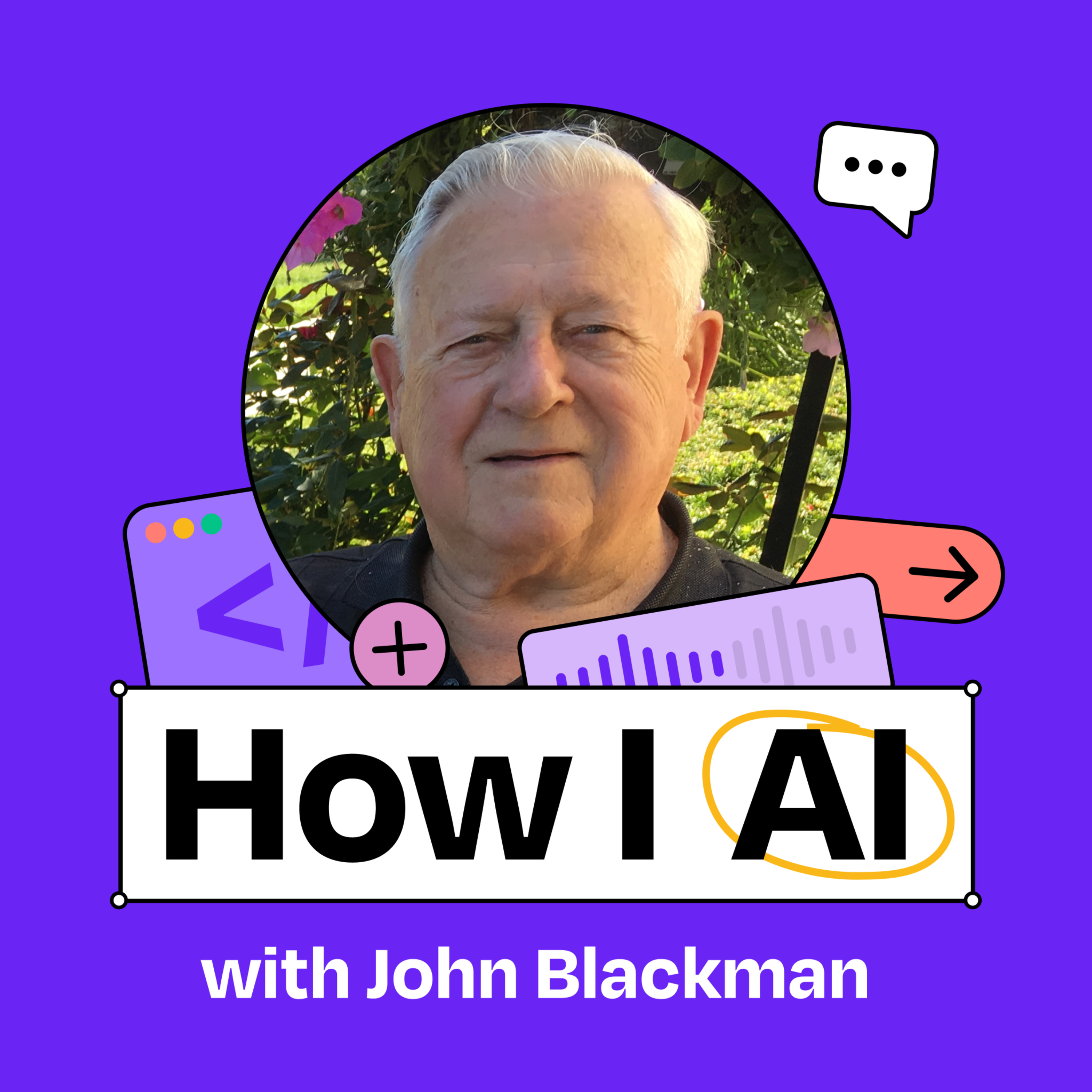
A 91-year-old church volunteer “vibe coded” a multi-tenant event management system for church impact weekends (registration, QR-code “impact passports,” waivers, check-in, and detailed operational reports). He used Claude to generate requirements/user stories and then Replit Agents to implement the app, including admin roles, service toggles, PDF passport generation, email delivery, and reports used for follow-up ministry and supply planning (e.g., oil-change VIN lookup, food pantry/lunch ordering, vision-center intake, waivers).
John Blackman (91; electrical engineer background at Kansas City Power & Light; hardware store owner; airplane mechanic certification; early AutoCAD adopter; fiber optic projects; helped launch Google Fiber in Provo/Kansas; Bitcoin holder since 2018; first-time TypeScript coder using AI agents). Host: Clara (AI product leader). Also mentioned: Brandon and Brett (grandson/influencer who suggested Replit and helped drive the build).
Built a complex app in days for ~$350; development worked but production had issues (PDF attachment differences, OpenAI key/secrets caching breaking VIN lookup).
QR-code registration forms, oil-change lookup via OpenAI API, staff name tags template, role-based access (system admin vs church admin), and emailed passports.
Written by AI. May contain mistakes.
John discusses the community services provided by his church, including free haircuts and food.
“We go to a local church and provide free haircuts, free eyeglasses, free car wash, free food and everything.”
John shares his motivation to create a digital system for event registrations.
“Do you have any wisdom or advice for us as folks in our professional careers are facing this technology change?”
John reflects on his extensive career and ongoing engagement with technology.
“So let me embarrass you a little bit with a quick bio of your experience.”
John discusses the process of coding an app to manage church events with his grandson.
“You've had such an amazing career, learned so many different fields and practices, and now you are into AI.”
The discussion moves into how John utilized Claude and Replit for app development.
“which is ask Claude to create what we in the business call a requirements document, and then you sent it over to RIPLIT.”
John explains the concept of an 'impact passport' for event attendees.
“So you started at the top with a very general query, which was how do I create a roadmap, basically?”
John and Clara talk through the key user stories and features of the app.
“They did a lot differently than I do it.”
John describes how to manage events and registrations through the app.
“And so I'm seeing those two kind of like major users.”
Learn how a system administrator manages multiple church events using a comprehensive tool.
“Start with, we go in as a system administrator.”
Explore the various reporting features available for managing church events.
“Okay, so I just have to pause for folks that are not on video to recap everything you vibe coded here.”
Understand the process and features of participant registration for church events.
“well, where people can register and actually get a little printed out passport that they can take to the event.”
Learn how new features are developed and integrated into the church event system using Replit.
“So one of the pieces of the flow that I think is so interesting that people would love to get into is this idea of looking up this oil change.”
Discover the common challenges faced when transitioning software from development to production.
“And then do you pull this up kind of locally in the browser and then check if it works and give it feedback?”
Learn about the complexity and features of the application developed for managing events.
“at what you've built, you know, everybody is going to listen to this and say, oh yeah, you can Vibecode a registration app.”
John discusses his first experience with TypeScript and how AI tools like Claude assist in coding.
“In AutoCAD, where I worked at Paralyte, we bought a program called IntelliCAD.”
John shares the positive impact of his software on his church and community events.
“Have you paid any money to Reflit for this app or is it on the free tier?”
The discussion highlights John's learning journey and the development process of his platform.
“What have you seen about the impact of what you built here?”
John identifies challenges faced with AI tools and provides feedback for improvements.
“You have this complex piece of software.”
John shares insights on embracing technology and encouraging others to adapt to changes.
“And Brandon, we had an example of something else that John wanted from Claude.”
John discusses his strategies for troubleshooting coding issues and seeking help.
“So that's another reason to learn this technology, because if you learn it, you can be having fun well into your 70s, 80s, and 90s.”

Get the gist, explore an idea or ask about something said.
 Claude
On How I AI, what are the key points of this episode?
Searching your listeningAutomatic transcript. May contain errors.
0:00We do impact weekends at our church. We go to a local church and provide free haircuts, free eyeglasses, free car wash, free food and everything. I handle registrations for these events. And so I said it'd be nice to have that computer somehow. So I wrote up a kind of an outline of what I wanted to do. We sent it to Claude, told Claude we wanted him for Ripley. Then we had him write our program and we sent it to Ripley then to do the program.
0:25John Blackman: If you all told me the story correctly, John, you and your other grandson did this into the wee hours of the night. We started at 10 and finished about 3 o 'clock in the morning. It's beautiful. You've got beautiful navigation. It's easy to read. It's simple to navigate. So I have control of all of the churches, and here I see all the participants that are registered. I have the services that are available. I have reports, and I can print this report out beforehand to know what people are coming. Do you have any wisdom or advice for us as folks in our professional careers are facing this technology change?
1:00It's just like AutoCAD. A lot of my friends didn't want to learn AutoCAD. And so when I retired in 94, I still was working in 2018. I was still having fun.
1:09John Blackman: So that's another reason to learn this technology, because if you learn it, you can be having fun well into your 70s, 80s and 90s.
1:21John Blackman: welcome back to how i ai i'm clara veau product leader and ai obsessive here on a mission to help you build better with these new tools i'm just going to get to the punchline today we have john blackman a 91 year old vibe coding grandpa he used claude and replet to build a very complicated very impressive app for his church and he's going to show us how he did it let's get to it This episode is brought to you by WorkOS. AI has already changed how we work. Tools are helping teams write better code, analyze customer data, and even handle support tickets automatically. But there's a catch. These tools only work well when they have deep access to company systems.
2:03John Blackman: Your copilot needs to see your entire code base. Your chatbot needs to search across internal docs. And for enterprise buyers, that raises serious security concerns. That's why these apps face intense IT scrutiny from day one. To pass, they need secure authentication, access controls, audit logs, the whole suite of enterprise features. Building all that from scratch? It's a massive lift. That's where WorkOS comes in. WorkOS gives you drop-in APIs for enterprise features, so your app can become enterprise-ready and scale up market faster. Think of it like Stripe for enterprise features. OpenAI, Perplexity, and Cursor are already using WorkOS to move faster and meet enterprise demands.
2:47John Blackman: Join them and hundreds of other industry leaders at WorkOS.com. Start building today. So I don't usually start this podcast with bios, but John, yours is too good to not give a little time to. So let me embarrass you a little bit with a quick bio of your experience. So you started as an electrical engineer at Kansas City Power and Light, and then you left to run a hardware store in Oklahoma. While you were in Oklahoma, you earned your airplane mechanic certification. Then you returned to Kansas City and rejoined engineering, becoming the first in your department to learn AutoCAD in the 1980s, and you were eventually training others.
3:31John Blackman: You worked on one of the first underground fiber optic projects in the U.S. You were brought out of retirement to help launch Google Fiber in Provo and Kansas. And then at 91, you are vibe coding software using AI agents. Is there anything you haven't tried? Not yet. Not yet. Oh, and I forgot the cherry on top. You've owned Bitcoin since 2018. You've got some Bitcoin, right? That's right. Yep. So you have the epitome of a growth mindset. You've had such an amazing career, learned so many different fields and practices, and now you are into AI. How did this all start? Well, it's Brett's fault, my other grandson.
4:20Well, I was talking about we do impact weekends at our church, which we go to a local church and provide free haircuts, free eyeglasses, free car wash, free food and everything. kind of a ministry type thing. I handle registrations for these events. And so I said, it'd be nice to have that in the computer somehow. And so he said, well, let's do it. So I wrote up a kind of an outline of what I wanted to do. We sent it to Claude. And then Claude turned around and we said we were going to send it to Ripley. Told Claude we wanted it for Ripley. Then we had Rip him write a program and we sent it to RIPLIT then to do the program.
5:07John Blackman: Okay, so you had this idea to support your church and your ministry services, and you just needed something that was more scalable than paper. And you did what all my peers in technology are now doing, which is ask Claude to create what we in the business call a requirements document, and then you sent it over to RIPLIT. So Brandon, can you help us dive into the actual Claude chat and where this all got started? And I think if you all told me the story correctly, John, you and your other grandson did this into the wee hours of the night. So you got started with Claude and then did it till, you know, one in the morning or maybe even longer than that.
5:48We started at 10 and finished about three o 'clock in the morning. And then we started the next day at 10 until about five o 'clock that evening.
5:56John Blackman: Well, you are in good company because I think 10 to 3 in the morning is every Vive Coder's schedules. You're good. Okay, so tell me how, you know, you started here. It sounds like you started by asking if you could plan a development roadmap. So you went right, right to it. And Grandpa, what's cool about this I've picked up on is that you have things like in here, like if you need more information from me, ask me the questions right away. Like you were telling it exactly what it should be doing. And then it started just going from there and you started providing information. All right. Yeah. So you started at the top with a very general query, which was how do I create a roadmap, basically?
6:41John Blackman: And then you got the chat to actually ask you enough questions about your specific project that it could do a good job. So you have a draft of what you want the application to do. And in specific, you say it wants to be built on Replit. How did you find out about Replit? Why did you pick that application? That was a suggestion by Brett. All right. My Replit friends, do not underestimate grandson influencer marketing for your agents. Okay, so he said, let's just build it with Replit. And so you instructed the system that. And then, you know, did you list out all these ideas here? Were these from U2?
7:22Yes, I typed them up in a Word document, and then we sent that to Cloud. Great.
7:29John Blackman: So this is a very structured, step-by-step, what we would call kind of user journey or flow. So you're talking about registration, what data you need, and then what kind of services they can do. And these are all wonderful services that you can get in your community. You know, haircut, dental service, those kinds of things. And then how did you come up with this idea of an impact passport? I saw that at another church one time. They did a lot differently than I do it. But anyway, they had a little piece of paper that the people would carry around with them to this event. And so we do that, too, but we would write it out by hand.
8:11And so I wanted something that we could print out and then they could bring with them to the event. Yeah. And so they'll sign up for something online. They'd be like, OK, you signed up for the haircut and you signed up for the face painting and then you signed up for the health clinic. And then they'll get their passport and then they know what stations to kind of go to. And like you mentioned, that was all done by hand beforehand.
8:36John Blackman: So what you're trying to do here is you have a bunch of manual handwritten processes that you're doing to run this event. And you're asking Claude, how do I turn this in to software? And how could I do this both on the volunteer side, on the ministry side, as well as the folks coming to receive services? And so I see in this chat, you're getting a nice back and forth between you and Claude. And then let's see what the roadmap looked like. All right. So you got the core features for an MVP, the first piece of it, the admin interface, passport generation, as we spoke about, and then data management, all that good stuff, and a bunch of development phases.
9:25John Blackman: And then it looks like on the side, Brandon, it also generated user stories and requirements. It did, yes. And I see here it said QR code. Did you know it was going to do a QR code? Well, I'd seen this done at this other church for their passport. So I wanted to do that in ours because it would make it a lot easier because everybody has an iPhone now. And so they can just scan that code and then it brings up the registration form for them to fill out. So you were taking inspiration, not just from your manual processes, but from ways you've seen other churches do this work. You sort of brought that all together, used chat to put that in an organized structure.
10:08John Blackman: And then we're looking at these user stories. Brandon, do you want to walk through kind of some of the key user stories here? Yeah. So he's got the registration chunk of it right here, which a lot of this would be driven from someone who's typically responding from like a Facebook ad or something like that, correct? Well, Facebook, and we have brochures that we hand out about 5 ,000 in the neighborhood. Yeah. And this is the part that honestly, even to this day, I still can't wrap my head around in terms of just the complexity of the multi-tenant setup that he has here. So there's an admin interface, and that has to have lots of different levels because, and you keep me honest here, Grandpa, you've got the overall impact organizers, which sit at one admin level.
10:56Which is like we call system admins. System admins. And then beneath that, you've then got all of these churches. Individual or local admins. That then have their own admins and their own logins and their own data. And visibility can go up and down. So the impact admins, the system admins can see all the way down. But the individual church admins can only see their own church and their own events. And the system actually approves all the admin administrators.
11:27John Blackman: For those that are not on the YouTube or the video, I am smiling ear to ear because you're building this complex, what we call roles-based access system, multi-tenant, Brandon, as you said, complex piece of software with admin backend functions, front-end consumer participant facing functions, all from a paper process and something that you just want to make better for your community. And so I'm seeing those two kind of like major users. And then as we go down, John, we're seeing these user stories, which again are, I love user stories as a product person, because it really lets you describe how you want the software to be experienced from the user's point of view.
12:15John Blackman: And so, John, did you find these user stories were pretty accurate right out the gate? They were pretty accurate. I made a few changes to them as we went through the program, but mostly yelled it. He had pretty well described what I was thinking. Yeah. And I even see here, you're not just looking at administrators and users. You're thinking, what would the pastor of the church want? What would the ministry leader want from all of this, all of this data? And you even have non-functional requirements. You are a very good product manager. This is better than some work I've seen in professional organizations.
12:55John Blackman: Okay. So you built this great set of product work with Claude, and then this is going to blow people's mind. You just took it to Replit Agents to start building it. So did you download, copy and paste this into Replit Agent? Do you remember what you said? I just took and copied what Claude had put together and put it into Replit, and then it started going, and there it was. Well, I have to tell you, that's the official AI noise. It was so fast, I couldn't believe it. Okay, so let's hop over to Replit and show a little bit of what you've built here. I'm going to pause really quickly. So I'm just looking at the side.
13:43John Blackman: You've got docks, migrations. You've got generated static assets here in these passports. This is a real meaty application here you built. So let's jump to the punchline. Let's do a little world tour of what you actually built, and then we can maybe go into some of the problems that you've been trying to solve lately with Replit. Start with, we go in as a system administrator. I will go into this LBC multiple, which that's the system administrator. administrator. The LBC church is a local church. Testimony church is a local church and so forth. So anyway, I go into this and I sign in with an admin sign in.
14:27What this does, it brings me into the individual churches. So I have control of all of the churches. And when I go in here, then I can actually manage the event. So this way I could go in a testimony church. And here I see all the participants that have registered, which a person would do, the local church would do this really. I have the services that are available, and these services can be turned on or off, depending on whether they are provided or not. If they're not provided, you just click the button, and it says no service for that event, see. And then I have reports, and the reports I have is demographics.
15:07That's everybody that's coming to church, coming to the event. It gives their name and it's name and address, phone number, address, and how many people are coming. Like if they're bringing kids and put say three kids or something or three participants. And it's in an alphabetical order by last name. And I can print this report out beforehand to know what people are coming. Also, this demographics report is used by the pastor as a follow-up for his ministry after the event's over. Then I have a service usage, which tells me how many people use what service. So it will print out a list of how many use the pantry and how many haircuts and all this.
15:49So we kind of know how many, what services were better used than others. And then the oil change, it will show when the people register with their VIN number. So this gives me an oil report of what kind of oil filters and how many that I need for the project. And, Grandpa, how do you know or how does it know what oil to buy? We use a VIN number search. When they fill out the registration, it asks us for their VIN number. And then it searches for the VIN number and tells us what kind of filters you used. All this kind of thing.
16:26John Blackman: This episode is brought to you by Orcus, the company behind Open Source Conductor, the platform powering complex workflows and process orchestration for modern enterprise apps and agentic workflows. Legacy business process automation tools are breaking down. Siloed low-code platforms, outdated process management systems, and disconnected API management tools weren't built for today's event-driven, AI-powered, cloud-native world. Orcus changes that. With Orcus Conductor, you get a modern orchestration layer that scales with high reliability, supports both visual and code-first development, and brings human, AI, and systems together in real time.
17:08John Blackman: It's not just about tasks. It's about orchestrating everything. APIs, microservices, data pipelines, human-in-the-loop actions, and even autonomous agents. So build, test, and debug complex workflows with ease. Add human approvals, automate backend processes, and orchestrate agentic workflows at enterprise scale, all while maintaining enterprise-grade security, compliance, and observability. Whether you're modernizing legacy systems or scaling next-gen AI-driven apps, Orcus helps you go from idea to production fast. Orcus, orchestrate the future of work. Learn more and start building at orcus.io.
17:51John Blackman: That's O-R-K-E-S dot I-O. Okay, so I just have to pause for folks that are not on video to recap everything you vibe coded here. You have this multi-administration levels. You have data models for different locations or churches. You have data models for different events. You have data models for different services that can be turned on or off. You have a list of participants and real-time reports of different ways those participants are either registered for events or coming to events. You have service-specific software, which will take, I'm just taking a pause here, a request for an oil change that comes with a VIN number.
18:39John Blackman: And it will go, I'm presuming, make some API call somewhere to tell you exactly what kind of oil that car uses. and then you generate a report for an event that you can export to Excel and use as a shopping list to go get oil or tell people what they need to bring. Right. Just that. Also, these reports, here's the oil change report. See, it says the person's name and we have a check-in for the oil change. Okay. And again, for folks that aren't looking, it's beautiful. You've got beautiful navigation. It's easy to read. It's simple to navigate. You have these little alerts, and we call them toasts in the app that tell you when different actions happen.
19:24John Blackman: And then I know there's a whole participant side of this, and maybe we can share some screenshots of that as well, where people can register and actually get a little printed out passport that they can take to the event. Yeah. Now the other reports I have is for the food pantry. This orders all the food for the food pantry and also for the lunch that we provide a free lunch. So it orders like hot dogs and hamburgers and buns and all that that we need for the lunch. And then the vision center, when we go to the vision center, we need a report that will be used by the people running the vision center to know what the person that is coming to the vision center, what their age is and everything, and that's filled out by this report.
20:09and then we have waivers that are signed by each individual so that the church is not responsible for anything.
20:16John Blackman: Yeah. So let's look at that piece from the participant perspective because you've built some things there that I think are pretty cool. Want to go through registration? Yeah. Let's go through registration. We'll just use Test My Church because it's events. So you put in your name and then the phone number, you have to put your phone number in. Okay. And your address. So So when you scan the QR code off a flyer or something like that, this is the form. It'll bring this form. Okay. Yeah. And does it look good on a mobile phone? Yeah, it's pretty good. You can read it pretty easily. And this one here is like the eye clinic.
20:53Yep. And then you say next. You can even do oil change here. So let's do the oil change so you can see how that works. It has a pro to look up the oil change. And what API is it hitting, do you know? It's OpenAI API. OpenAI, yep. OpenAI is API. So here, see, it shows us. It's a 5W20 oil, six quarts in the filter nervous. So then you say, okay. And then this is the waiver that they have to read through. And when it gets down at the bottom, it's all filled in automatically. And then you proceed to the signature.
21:26John Blackman: So watch out DocuSign. You have a signature capture flow here. Okay, you can do with your finger on your phone. And then you say, I accept the signature. And then you say, complete the registration. This is very good. Okay, I could look at this all day as somebody who built software. But let's go back to how you actually did this. So one of the pieces of the flow that I think is so interesting that people would love to get into is this idea of looking up this oil change. And so let's just say a feature like that, I'm sure wasn't the first thing that you thought of. It was probably something you added after.
22:08John Blackman: So how are you chatting with Replit to add these features? And how much of the work is it doing for you? How much are you researching outside? Can we look at some of those chats? Well, right now, what I'm working on is having a name tag for the staff at the event that will be printed out on a Word document on labels. so that way we could slip them into a plastic folder and put a lanyard around their neck. Because right now what we do, we write it with a marker on a sticky one and stick it on their shirt. And sometimes people don't want that stuck on their shirt or blouse. And so this will hang around their neck in a folder.
22:52So this is what I'm working on right now. It looks like you uploaded this first with this prompt here. And Claude then started to bring out some of these assets here. So there's the template that it used. And then eventually it started to code down here. Right. And then he brought it over to Repplet. Yeah. Okay.
23:19John Blackman: So you wanted to make these name tags. And so you had to add the idea of a volunteer into this already complex app. And so let's look through the chat that actually did that and how Replit built it. Okay, so it said a couple weeks ago, you said that you want to add a function that will populate a volunteer list when a local administrator, so you're using your roles, fills an input page, and then it says all the information that you need in that. And so let's scroll down and show what Replit actually does for you. So with that paragraph of instructions there, you are adding a new table to your schema.
23:59John Blackman: So you're adding a data model. It's updating. So, I mean, do you just sit here and watch this work? Are you totally fascinated by this? You just sit there watching it? I watched it. Yeah, I watch him. Sometimes he goes off on a rabbit trail and I have to go back. And so this, you know, keeps going. What's interesting about this Replit agent implementation is you can see here, it's pretty independent. You're not doing a lot of back and forth with it. It's doing big chunks of work for you. It does. And then do you pull this up kind of locally in the browser and then check if it works and give it feedback?
24:41John Blackman: How is that back and forth for you? When he gets to a point where he says, I think I got this, then I'll go back into the program and run it to see if it works. Then if it doesn't work, I tell him. And so it made a mistake here where it says not all events, you want it for the local event. So it's going again and making these updates. And have you found that you figured out how to prompt these agents? Are there any tricks you can share with us or do you just talk to it like you would anybody else? I just talk to him like it's a person. Like you guys tease me about. He refers to the AI as a he.
25:21So the pronouns of he.
25:23John Blackman: Perfect. Chat PRD, my AI is a lady. So that's fine. And then you do do what all of us do with our AI, which is you just say wait. And then I saw another one that said stop. This is where he was going out on a rabbit trail. I said, wait a minute. Don't go that way. Stop. And stop. Yep. So one of the challenges, I think, working with these agents, which you're experiencing here, is as we see, it can do tons of work for you without intervention. But it's interesting that you can spot when you need to tell it to stop or reset or start over. It's pretty amazing to add these features. Now, I have to ask you, what was the most complicated thing or the hardest thing that you built here?
26:09The hardest thing, and I finally got it about two days ago, was it always doesn't work in production, but works in development. And that was very frustrating. And so in my production, I was sending an email to the participant informing them that they had registered for the event and attached is their passport so they'll print it out there at their home rather than me having to do it at the event. in production, it would not attach that passport PDF file to the email. We worked on it for two or three days. And finally, the other day, we finally got it working. But the reason we did, we had to change the type of PDF file format that we were using.
27:00And so the passport that we send with the email looks different than the passport that we have in development.
27:07John Blackman: So I'm going to give you some real cred and credit here, because if I just take a step back at what you've built, you know, everybody is going to listen to this and say, oh yeah, you can Vibecode a registration app. It's just like a form. But if I'm looking at the complete nature of what you've built, you have a very complex application here that's serving many different users that has security needs, that has kind of opt-in and waivers. You're generating PDFs. You're generating Excel files. You're emailing those PDFs. You're generating reports. You're doing all these different kinds of software development, all wrapped in what I think is a beautiful UI.
27:53John Blackman: And just to confirm, have you ever coded software before? The only thing I did in In AutoCAD, where I worked at Paralyte, we bought a program called IntelliCAD. It had logic files that we had to, they allowed us with open architecture to make our own logic files. So I did write logic files for that to show that conductors were attached to poles and so forth. But it wasn't really code like this. It was more like if then and plus. If this happens, do this, God's sake. But no TypeScript. No. So this is your first time writing TypeScript. And, you know, can you just talk us through some of the, you know, you said you use OpenAI APIs.
28:45John Blackman: Is Replit recommending what database to use? Is it recommending how to send emails? How much of that did you have to research yourself versus the agent telling you how it works? No, I don't know. I've looked at it. I've looked at the database to see, you know, what's in there, parts of it, but I don't know what it is. Got it. So when the agent tells you, use this to store your data or that to send your email, I think you're using SendGrid, you just take those recommendations and go. So for all of you coding agent builders out there, these out-of-the-box integrations, John, I think make it simple for folks like you to add on new kind of technical capabilities without having to research or make those decisions.
29:33Correct. Yeah. That's a good point. So I listen to a lot of other vibe coders, and that's probably a piece of advice I hear a lot is that they will say, just be open-minded. Like when you go in, because I'm a technology guy, I work with software developers all day long, and we're very opinionated. Like we know like how it should be done and what tools it should be done with and what the layer should look like. I don't know. And sometimes that can trip up the AI because it's not going to naturally go that way, even if it's not the best way. And so it's interesting to kind of watch grandpa here just not have a single clue what it should look like or what it should do.
30:11And AI just makes it work for him, even though no real software engineer might have done it that way. That's true. I didn't know.
30:19John Blackman: I don't want to call you out too much, John, but I noticed you're on the free version of Claude. Have you paid any money to Reflit for this app or is it on the free tier? I have spent, at this point, I think it's about$350. Okay, so$350. What amazed me, though, was as first two days, the program was basically running and it cost me like$25 plus maybe$50 or something. I think I put a deal there that cost me$171 when the program was running. And that's what Brett says, you know, it'd take his programmers probably six months to do it. And we did it in two days. So I'm going to put some fear in the heart of the software engineers out there.
31:07John Blackman: You built some pretty impressive software, a couple days, a couple weeks,$170 in cost, free version of Claude, some grandson time, which I'm sure feels like you're getting paid. What has the impact been on your church, on your community? What I can imagine here is you can just serve a lot more people. Your volunteers are a lot more effective. Everybody's probably having a better time at these events because they're not stressed out about paperwork. What have you seen about the impact of what you built here? Well, to begin with, they couldn't believe it. They said, this blows me away. And so I've showed it to mainly the pastors that are in charge of these events.
31:58But we have not implemented it yet because I keep having little things I keep adding to it. and some things are still not working exactly right. And so I'm still working on that. But they were really, they're ready to use it as soon as I can get it running right. Okay.
32:14John Blackman: Well, we're going to keep our fingers crossed that by the time this episode is released, you will have had your launch day for this Impact platform. Well, that's great. Okay. And I bet you will recruit some volunteer developer assistants. And I even bet the Replit folks will help you out if we can get this in front of them. Okay. John, Brandon, this has been so much fun. Just to recap, you found a problem in your life and in your community that you thought could be made better with, your words, not mine, computers. You used Claude to create a requirements document, user stories. You downloaded those user stories.
32:56John Blackman: You put them in Replit Agent. as we've seen on screen, Replit Agent, just through all the requirements. You have this complex piece of software. You're adding to it every day. You spent a couple hundred bucks. And I'm guessing you feel very empowered, like you've learned a lot in the past couple months. Yes, I do. It's been unbelievable. Great. Well, we are going to get you back. I know you're just going to code again till midnight. So we're going to get you back to your coding with a couple lightning round questions, then we'll get you get you out of here. So John, my first question to you is, we were joking before the show started, logging in to these applications is harder than actually building the applications themselves.
33:43John Blackman: But if you can make an ask to any of the kind of coding providers to repl it to Claude on things that they can make better for your experience, what would your ask be? The biggest problem I've had is it works great in development, but then when you have production where you actually want to use it, it doesn't transfer everything. For instance, right now, I have an open AI key. It keeps putting an old key in there, which is, I think he says it's stored in a cache somewhere, and it keeps putting this key instead the right key and I can't figure out why he keeps doing that. And so I haven't been able, that's why my VIN number does not work in production now, but it does work in development because the OpenAI key changes as we deploy it.
34:37John Blackman: All right. So you heard it here, secrets management from development to production, still a problem. And Brandon, we had an example of something else that John wanted from Claude. Do you think we can pull that up or show that? Yeah, that's a great one. So we were researching for the show his chat history with Claude. And I don't know if you knew, did you know that the history was over here on the left hand? Well, I asked him where the history was. He said he don't have it. Yeah, and so it'd be nice if Claude could say, well, here's all your chat history. He didn't tell. Yeah. So I think you had the sidebar because when we first started, you had the sidebar with all the history closed.
35:21John Blackman: And so the very obvious place to ask where is my history is in the chat. But these chats, everybody, memory is key. It was over. I was all over. I couldn't find it. OK, so the preferred UX is just tell me in the chat and point me to to my other chats. OK, so we got good two pieces of feedback there. You know, my second question is what I love about you and our, you know, what you showed us here and your entire career is you have such a growth mindset around technology and embracing what's next. You know, when CAD was coming out, you told me this story where people were really resistant and you leaned in.
36:03John Blackman: I'm curious, do you have any wisdom or advice for us as, you know, folks in our professional careers are facing this technology change that to some people can feel scary and to others feel really exciting? What's your wisdom having gone through this a couple of times? I was reaching this program to one of the people at one of these events and she said, oh, I'm scared to death of AI. I said, well, why? She says, well, I just don't know what it's going to do. And I said, well, it does a lot of good things, but I'm sure it can do bad things. But I said, I think right now, if you figure out how to use it the correct way, it's going to help a lot of people.
36:39And I said, that's why I found out here that this program, as a registration person, I don't have to do anything but stand there and hand out passports now. where before I had to write all this stuff down by hand. And all the material that we have to order, it had to be done kind of by hand or by somebody else, you know. So now all these reports will be there. And like the pastor follow-up ministry, now he'll have a complete report of everybody that attended with name and address and how many people attended so he can go call them and provide ministry for them. So I think it's been a good deal.
37:20John Blackman: I love that answer because I am like you, an optimist. I have to believe that if we put the ability into the hands of people like you to build something, you will take it and build something amazing and good for your community and good for the people around you. And this is something that would have never existed if these tools didn't exist. You would still be on paper. So we get to get a little bit of your imagination and your impact on the world because we have this new technology. That's really great, really great advice. It's just like AutoCAD. A lot of my friends didn't want to learn AutoCAD at the Powerline.
37:56And so when I retired in 94, I still was working in 2018. I don't know what they did. I was still having fun.
38:09John Blackman: So that's another reason to learn this technology, because if you learn it, you can be having fun well into your 70s, 80s, and 90s. building good stuff. There's a lot of longevity if you can learn more. Okay. And then we know that Replit is a he, so we know how you speak to the AI. I am curious, when it doesn't listen, what do you do? I try to keep going around the corner with it and say, try it. In fact, I've told him several times, go back in history to a certain point and use this, what used to work, and now you say it doesn't work so go back and use that code and sometimes it works because it was working before and then he broke it i broke it somehow he didn't do it i told him i told him to do something that made a break and so and crash and so he would go back and pick that up and it would work again and mainly that's what i've been doing and then when worse comes to worse, I call Brandon and Brett.
39:15John Blackman: Okay. So when the AI does not work, go back to a checkpoint or call, phone a friend, phone a friend. Exactly. Okay. This has been just so fun. Brandon, thank you for nominating John to come on this show. You're going to be a hit. John, thank you for sharing your enthusiasm and what you built in your product and your openness to this new technology. G, where can we, how can we be helpful to you? Is there anything we can do for you? You can help me fix my VIN number. Okay, we're going to get this. We're going to hop off the podcast and we're going to fix this environment variable. Well, thank you so much.
39:55John Blackman: You all have a great day. Thanks for being here. Thank you. Thank you. Bye-bye. Bye-bye. Thanks so much for watching. If you enjoyed this show, please like and subscribe here on YouTube, or even better, leave us a comment with your thoughts. You can also find this podcast on Apple Podcasts, Spotify, or your favorite podcast app. Please consider leaving us a rating and review, which will help others find the show. You can see all our episodes and learn more about the show at howiaipod.com. See you next time.
John Blackman, a 91-year-old retired electrical engineer, shares how he used Claude and Replit to build a complex application for his church’s community service events—with no prior software development experience and for less than $350. His app allows event organizers to create events, recruit volunteers, and manage sign-ups, with a standout feature for organizing free oil changes for participants.
What you’ll learn:
—
Brought to you by:
WorkOS—Make your app enterprise-ready today
Orkes—The enterprise platform for reliable applications and agentic workflows
—
Where to find John Blackman:
Website: http://johnbeng.com/
—
Where to find Claire Vo:
ChatPRD: https://www.chatprd.ai/
Website: https://clairevo.com/
LinkedIn: https://www.linkedin.com/in/clairevo/
—
In this episode, we cover:
(00:00) Introduction to John Blackman and his background
(02:55) John’s impressive career
(03:59) How the church project started
(05:06) Using Claude to create a development roadmap and requirements document
(07:29) The concept of the Impact Passport for event participants
(08:57) Generating user stories and requirements with Claude
(10:32) The multi-tenant architecture with system and local church administrators
(12:54) Building the application with Replit
(13:32) Demo of the administrator interface and event management features
(17:56) Specialized reports for different services (food pantry, vision center, oil changes)
(20:30) The participant registration flow with QR code scanning
(21:55) Adding new features like volunteer name tag generation
(24:40) Troubleshooting AI “rabbit trails” during development
(26:09) Challenges moving from development to production
(27:13) John’s lack of coding experience
(29:42) The advantage of having no preconceived notions about implementation
(30:25) Total development costs and timeline
(31:31) Impact and reception from the church community
(32:42) Lightning round and final thoughts
—
Tools referenced:
• Claude: https://claude.ai/
• Replit: https://replit.com/
• SendGrid: https://sendgrid.com/
• AutoCAD: https://www.autodesk.com/products/autocad/
—
Other references:
• OpenAI API: https://openai.com/api/
• VIN (vehicle identification number): https://en.wikipedia.org/wiki/Vehicle_identification_number
• Multi-tenant architecture: https://en.wikipedia.org/wiki/Multitenancy
• Role-based access control: https://en.wikipedia.org/wiki/Role-based_access_control
• Excel: https://www.microsoft.com/en-us/microsoft-365/excel
• Docusign: https://www.docusign.com/
—
Production and marketing by https://penname.co/. For inquiries about sponsoring the podcast, email [email protected].