
In short
A step-by-step workflow for creating consistent brand imagery in Midjourney using mood boards, style references (SRefs), image references, and personalization codes; then fixing issues and upscaling with Nano Banana/Flora for client-ready asset packages.
Guest
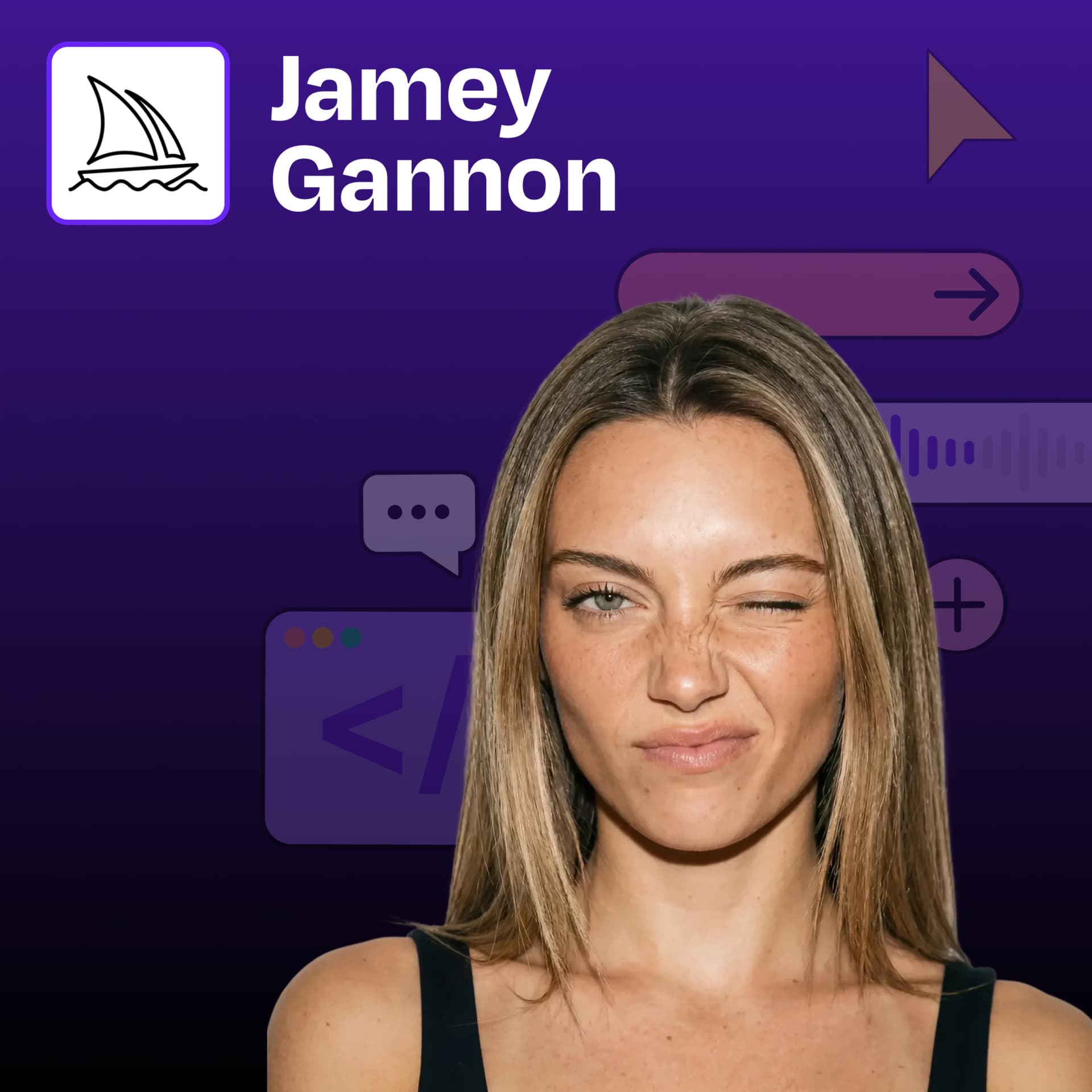
Jamey Gannon, an AI creative director who builds brand imagery workflows and teaches an “AI Creative Director” course (Maven). She’s known for a “pink AI” aesthetic and has extensive Midjourney experience (“10 gajillion hours”).
Key claims
Consistency requires a tight, manicured process; mood boards act as “visual language,” but SRefs often outperform raw mood boards; personalization codes (rank/vote “flop matrix”) fine-tune style; short prompts work when you include subject + setting + style and use “cheat codes” like camera names and fashion/editorial terms; when outputs drift, remove the dominant problematic reference (e.g., green eye sref) or crop out the distracting element (e.g., bubble gum).
Notable examples
“pink and cute but internet-coded” mood board; “deer in a New York luxury apartment” prompt; “Dazed editorial” and “Vogue/high fashion/artist name” prompt shortcuts; replacing a computer with a “2026 midnight block MacBook Pro” in Nano Banana; upscaling/repairing images for thumbnails; using Flora/Nano Banana to remix her face for articles/thumbnails.
Written by AI. May contain mistakes. Listen to the episode to check what was said.
Chapters
Tap a time to open that second in VOThe Importance of Process in AI Tools
0:00 to 1:06
Discover how a well-defined process streamlines creativity in AI tools like Midjourney.
“It all comes down to having a very tight and manicured process, which thankfully I have spent my 10 gajillion hours in Mid Journey and Nana Banana and everything to figure out exactly what that is.”
Creating Beautiful Brand Imagery
2:33 to 3:15
Explore techniques for generating visually appealing brand images with Midjourney.
“I am having you on the show for a very selfish reason, which is I think I'm the only pink AI brand in all of sass.”
Utilizing Mood Boards Effectively
3:15 to 6:18
Understand the role of mood boards in creating consistent brand aesthetics.
“I will either go in with a mood board in Midjourney and you can basically just copy and paste your images in or you can start by adding them as srefs as you can see here.”
Improving Image Generation Results
6:18 to 9:20
Learn how to refine image outputs by adjusting mood boards and style references.
“when they're working with more of these truly creative generative AI tools is they lack language.”
Personalization Codes in AI Tools
9:20 to 14:00
Discover how personalization codes can enhance consistency in generated images.
“And I find that using srefs as the mood board instead essentially can give much better results.”
Exploring Style Bleeding in AI Imagery
14:00 to 15:00
Learn how personal style can influence AI-generated imagery.
“So for example, let's say I like the quality and the colors of this image.”
Building Effective AI Personalization Tools
15:00 to 16:00
Discover techniques for creating effective personalization in AI tools.
Leveraging Image References in AI Prompts
16:00 to 17:00
Understand how to use image references to enhance your prompts for better output.
Crafting Aesthetic Prompts for AI
17:00 to 18:00
Learn how to craft prompts that convey aesthetic intent effectively.
Refining AI Outputs with Composition Techniques
18:00 to 19:00
Explore ways to refine AI image outputs through composition techniques.
Show all 27 chapters
Techniques for Streamlining Prompting
19:00 to 20:00
Discover techniques to simplify AI prompting and enhance efficiency.
Incorporating Realistic Elements in Prompts
20:00 to 21:00
Learn how to incorporate realistic elements into your AI prompts.
Using Camera Terminology as Style Cheating
21:00 to 22:00
Understand how camera terms can serve as shortcuts for style in AI prompts.
“Okay, let's go into some like more specifically prompting my arch nemesis.”
Creative Prompting for Unique Outputs
22:00 to 23:00
Explore creative prompting methods to achieve unique AI outputs.
“an image of an apartment, putting it as an image reference, which potentially could have worked.”
The Importance of Subject, Setting, and Style
23:00 to 24:00
Learn how to effectively combine subject, setting, and style in AI prompts.
“Because everybody knows, and the LLM knows, or not LLM, the AI knows, luxury is going to be like a big metal thing that's super high up and retrieval life on the top.”
Finding Shortcuts in AI Prompting
24:00 to 25:00
Discover how to find shortcuts in prompting to save time while generating quality outputs.
“What is great about this particular prompt is it reminds me of what Ravi in an earlier episode did talking about Midjourney for generating images again.”
Using Vague Descriptions for Poetic Outputs
25:00 to 26:00
Learn how vague descriptions can yield more poetic and creative outputs in AI.
“If I'm lucky, I nail things really fast.”
The Inspirational Nature of Midjourney
26:00 to 27:00
Understand how Midjourney serves as an inspirational tool for creativity.
“I get to see a lot of tools and I do a lot of things every day.”
Refining Midjourney Prompts
28:27 to 30:04
Explore techniques for refining and scaling Midjourney image prompts.
“We have used those mood boards to kind of create some and get a sense of what's working well with the mood boards or not.”
Using Mood Boards in Midjourney
30:04 to 33:03
Discover how to effectively use mood boards to improve image generation.
“So one thing that I always try especially once I have like the exact outputs that I want already I'll go ahead and I'll make another mood board again.”
Client Collaboration and Brand Imagery
33:03 to 35:19
Learn about the evolving relationship between creatives and clients in brand imagery.
“that kind of have this like print aesthetic but it's of animals to give Mid Journey a little bit better information to work with.”
Enhancing Images with Nano Banana
35:19 to 37:18
See how to enhance images using Nano Banana for better quality.
“And I think it creates a really positive collaboration between the client and the creative director.”
AI Representation and Challenges
37:18 to 42:00
Discuss challenges in AI representation and the biases in image generation.
Understanding AI Training Biases
42:00 to 43:01
Explore how biases in AI training data affect image generation.
“And so I think one of the things you have to know about using these models is like, where is the training data come from?”
Sources of Inspiration for Visual Aesthetics
43:01 to 46:02
Learn about various sources to cultivate your visual taste and inspiration.
“And I and I the more you explore it, more you more you hit those edges.”
Techniques for Effective Prompting in AI
46:02 to 48:23
Discover strategies for crafting effective prompts to enhance AI results.
“But I get like millions of views on Pinterest a month now because every time I see something and I save it like images I was already going to save anyway.”
Introducing the AI Creative Director Course
48:23 to 49:04
Get details about the AI Creative Director course and its benefits.
“seeing things from the AI's point of view yeah well Jamie this was great how can we find you and where can we be helpful?”
Transcript
Automatic transcript. May contain errors.0:00Jamey Gannon:It all comes down to having a very tight and manicured process, which thankfully I have spent my 10 gajillion hours in Mid Journey and Nana Banana and everything to figure out exactly what that is. So you're not pulling your hair out prompting all day. One of the things I like about the mood board is it's a visual language to explain to Mid Journey what you're trying to do. The picture is worth a thousand words, like literally a picture to an LLM is worth a thousand words. mentioning like Vogue or high fashion or even like a different artist name is a great way to tell the model a ton of stuff without actually having to tell a ton of stuff in the past brand and creative directors or agencies will give you these photos and be like cool call us and re-up when you want more photos what I love is that you're like look you're gonna value me for all this upfront work that I'm gonna do to define the space give you these codes really give you reference images and And then now you can go do this for yourself.
0:53It's just like a very different model of providing service. And I think it creates a really positive collaboration between the client and the creative director.
1:06Welcome to How I AI. I'm Clara Vo, product leader and AI obsessive here on a mission to help you build better with these new tools. Today, we have an aesthetic episode with Jamie Gannon, who is an AI creative director. and is going to show us how to create consistent, beautiful, and unique brand assets using Midjourney, Nano Banana, Flora, and more. This is a workflow we haven't seen yet and goes into incredible depth on how to create awesome brand assets that you can use to uplevel all of your designs. Let's get to it.
1:40Jamey Gannon:As an AI founder, you're used to sprinting towards product market fit, your next round, or that first enterprise contract. But speed isn't enough for AI startups. Buyers expect security, compliance, and transparency from day one. That's why serious AI startups use Vanta. With deep integrations and automated workflows built for fast-moving AI teams, Vanta gets you audit-ready fast and keeps you secure with continuous monitoring as your models, infra and customers evolve. AI innovators like Langchain, Ryder and Cursor scaled faster and closed bigger deals by getting security right early with Vanta.
2:23Listeners can claim a special offer of$1 ,000 off Vanta at vanta.com slash how I AI. Jamie, thanks for joining how I AI. I am having you on the show for a very selfish reason, which is I think I'm the only pink AI brand in all of sass. And when I saw your work, I was like, oh, my God, I need this lady to teach me how to create brand imagery that is beautiful and fun and girly and whatever magic she has, I need. So talk to me about how we can get amazing images like what you're showing us right now. I think consistently is the most important part because I can get a one-off image that's this great, but I can't get this brand portfolio.
3:14So you got to tell me your sorcery.
3:15Jamey Gannon:yeah I mean it all comes down to like unfortunately having a very tight and manicured process which thankfully I have spent my 10 gajillion hours in mid-journey and everything to figure out exactly what that is so you're not pulling your hair out prompting all day and yeah I would love to show you great so where do we where do we start when you teach people how to do this you know where what's what step what so first thing that I always do is I'm going to start in either Pinterest or Cosmos and I'm going to create a mood board that is the general vibe of what I want so for this exercise I wanted to have like a very pink and cute but still kind of like not super girly very internet kind of coded aesthetic um i like especially with ai doing like juxtaposition i think that's really fun so we have like an orange with piercing we have like a fluorescent fruit dog on a computer things where they shouldn't be we have like a gringy unicorn um so that this is like a really cool aesthetic to start with and i typically start there's two ways that I usually start.
4:29Jamey Gannon:I will either go in with a mood board in Midjourney and you can basically just copy and paste your images in or you can start by adding them as srefs as you can see here. So srefs basically are style references and they kind of do exactly what they sound like. It just tells Midjourney to take the overall style and coloring and camera treatment and vibe if you will and it like tells it to apply that. Now, one of the first prompts that I tried to create this aesthetic is I use that mood board that you saw that I made. And in this part of my process and the create part of my process, I'm just trying to get information.
5:13Jamey Gannon:I'm trying to figure out like what are the images telling AI? What is my prompting telling AI? What's the mood board telling AI? And I just want to generate very fast. So I'm not very precious when I'm doing these prompts like right here i just have a beautiful female model i have astronaut you can see i'm using that mood board here but if we remember like the original mood board and those final images that you guys have a sneak peek of we can see that we're like very far off from where we want to be and i think where a lot of people that are starting to use ai and get kind of tripped up is like if you've ever just like raw dogged generated something in like mid-journey or chat gbt like this might be like great to you and like some of these images standalone are really cool to me but if we're working for like a client or we're trying to be consistent with the brand style we need to be like really really honest with ourselves on like does this actually look like that vibe and truthfully it does not so i think that there's going to be a better approach to get things going one thing i want to call out what if you could go go back is i think one of the things people lack when they're working with more of these truly creative generative AI tools is they lack language.
6:24And so one of the things I like about the mood board is it's a visual language to explain to mid journey what you're trying to do. What I like about the style references, which we've done a couple episodes that have referenced style references in terms of mid journey. We've done one with Zach, the creative and design lead at Gamma. We've done one where we were looking at style refs for more photography styles. So these are just alternative languages to tell Midjourney or another tool something specific about a visual aesthetic, which I feel like a lot of people just aren't trained. If you're not trained as a designer, if you're not trained as a photographer, you don't have.
7:05And so I love this. A picture is worth a thousand words, like literally a picture to an LLM is worth a thousand words. The other thing that I want to do if you go to your mood board versus what was generated one of the things I want to call out about this where you're comparing the mood board to the images is somebody who has been a designer and has been around photographers I bet you can see this and say okay like the saturation and the contrast on these photos is not as high as they are in the generated images there's this like washed out vibe on some of the photography on the generated images.
7:44And so one of the tricks that I wonder if people might think about is you can actually upload this to like a like a chat GPT or Claude and you could say explain to me why the photos don't match the mood board. And so, you know, you are probably an expert at this and have language to figure out why it doesn't match. But if for folks that are trying to teach themselves language, that's just one trick I think is really useful is throw this in and say, hey, chat GPT, explain to me why these top four images aren't in the same style as the bottom. And that can sort of give you a seed seed to start.
8:18Jamey Gannon:I try and avoid prompting at all costs in my process. But like for this example, we're going to go like super, super simple with like using astrophs and mood boards. But yeah, if I'm in one of these, like I'm doing some insane editorial work for clients that needs to be consistent across like 100 images and like foolproof to like a consumer eye that's when like getting really into the details especially with models like narrow banana can be super helpful great okay so this doesn't match what do we do basically what i kind of gleaned from this is like the mood board is not doing its job it's not communicating uh the vibe properly um this is something that happens a lot with mid-journey mood boards there's not a ton of like documentation from Midjourney on exactly how it works.
9:02Jamey Gannon:But as creatives, you can tell like the more kind of consistent a mood board is, let's say it's like five images of like fuzzy 3D cats, you're more likely to get an image of like a fuzzy whatever you prompt. When we're doing more generalized vibe stuff like this, Midjourney can tend to average things out with the mood board. And I find that using srefs as the mood board instead essentially can give much better results. so this was sort of the next step in my process i wanted to try the s refs and see if that made it better and you can tell we're definitely getting better contrast we're getting a little bit more kind of aesthetic and edgy a little bit more of that like 2025 aesthetic that we want but it's pulling really really green for me um so what i ended up doing is i just removed that green eye sref um this is something that comes with intuition you know i've been using mid-journey for like three years so i kind of can like understand like where i don't know it feels like sorcery to me but i can understand like where the lm is pulling certain things and i knew that if i removed this green it would solve a lot of my problems um so i did and as you can see we're starting to get a little bit more neutral in tone we're also like a little bit more zoomed out too, especially with like the people photos.
10:20Jamey Gannon:So now I know I am on the right direction. Can I ask a question real quick? When you say I'm using the S refs, where are you getting those from your mood board or how are you actually deciding what the S refs are just for people who are less familiar with mid journey? I'm just using literally the ones that were on that original Pinterest mood board. So you can just copy and paste that image and put it in there. And then as you copy and paste things in, it'll like save in a library for you like forever. So if I wanted to bring that green one back in to keep trying stuff, it's like already there for me.
10:56Got it. So instead of the SRF codes that a lot of people and we've talked about in the past, you're using literally the UI to just drag in images as style references. And that for you sometimes gets you better results than just using the general mood board process. Yeah. Yeah. Cool. And then I have one more question, which is, do you have some go to like test prompts? Like I love the astronaut as a prompt because there's a lot of ways you could generate an astronaut. Do you have some like go to's that you run through when you're doing a mood board or does it really depend on your client and what you're working on?
11:32Jamey Gannon:yeah i would say i love doing like ethereal female model for some reason i do like i do that a lot yeah this is like a crazy silver one that i was doing it tends to just like give sort of like a a more elevated vibe than just regular model i think i do cats a lot because there's just a lot of like texture to work with the other thing i would say is that there's probably a lot of training data of cat pictures on the internet so majority could probably do a pretty good job with the cat yeah running too i feel like i do that a lot oh god this is like my first generation it's not crazy um that scrolled all the way down there but uh yeah i'll do running a lot or like runner yeah anything with like astronauts fun too anything that's like specific enough to kind of give you the vibe i'd say like vibe it's like kind of not so broad enough that those different styles kind of apply okay so so you've used these style references you're getting a little closer what's the next step yeah so i consider this part of my like create step and again the goal is just to like get some like information take like this should take like 10 or 15 minutes to start the create process and then what i'm going to do next is i'm going to move on to iterating and that's we're going to start like getting a little bit more specific with our process maybe slightly more technical and then starting to combine more styles to get like your own unique style and get better consistency so what I'm going to do particularly in this process is I'm going to start to bring in some personalization codes and other mood boards so what ended up helping me get these results is my personalization code that I call late 2025 aesthetic now personalization codes again it's kind of like a little bit of mystery how it works exactly under the hood but when you're creating a personalization code but you're just going to put you through this like endless flop matrix of images that you're either going to vote one or two or skip um and basically it you're just telling it what you like and you can have like as many profiles as you want so for like this profile in particular i was trying to think i was trying to rate images that were of a 2025 aesthetic so like more iphone style and we can see here like you'd pick that one yeah or i i skip a lot um that's another thing when i'm giving like advice to people on personalization codes is like there's a lot out there on you know like mitcher and he says like don't skip that much but some people are like skip as much as possible some people like skip a medium amount i tend to skip like a medium amount and only pick things that i would like if i generated it but i do find there's kind of like style bleeding.
14:15Jamey Gannon:So for example, let's say I like the quality and the colors of this image. If I like a bunch of images that look like this, I might get a heavily influenced style that like wants to be painted or wants to be like this like vintage or renaissance, whatever aesthetic. So that's something to consider as you're going through this. One thing I want to call out for folks that is a little bit of a side of this particular flow, which is when you're building an AI tool yourself, I have not seen this like this or that personalization flow in a lot of AI tools. And I think it's such a good way to like fine tune whatever you're going to provide to your end user.
14:56And so a lot of times we get these like end AB tests and like a chat GPT prompt. But this is so interesting to kind of put this up front and say, okay, let's spend five minutes telling me what you like then we can be more confident that when you have a downstream experience in my in my ai tool it's going to look great okay and you can create as many i've never again i have not used mood boards or personalized i'm just like yellow up in the in the main chat so and you can create as many of these as you want yeah to use cool yeah unfortunately you can't like go in and like
15:27Jamey Gannon:edit them the same way that you can with mood boards which is why you're going to be good at like naming and trying to understand like what you were doing six months ago when you spent two hours ranking images um but i have my own crazy system that's just a quick brief on like what personation codes are so what i started to do let me go back to these like other images i i just felt like these could use more of my own style and i felt that they were a little bit over stylized like i do enjoy the pink but i was curious to see if like maybe we can get some like other influences in there so by adding my personalization code i was able to just get like more of a depth i would say also because i wanted it to be like very crisp and like modern you know um you start to see like better skin that one to me looks like very a good match for some of your earlier ones that one's the one that stands out to me i mean it's kind of it's it's nuanced but i'm liking where this is going now hold on and i know it's just you and me and little astronauts in the middle yeah yeah yeah so you are combining some of your style refs and this like personalization model on top of each other you're getting way closer to what you want in terms of iteration so how do we take this to the next step yeah so i want to show you guys some like of the other mid-journey techniques and ways um again to like start prompting and kind of like upping the ante on like what we're making so as you can see here these prompts are no longer just like woman or astronaut we're actually starting to give some like aesthetic thought so one prompt i actually found this on like the explore page a couple weeks ago um but it's dazed editorial photo shoot so dazed is like this really hip magazine if you're not familiar so doing stuff like that like mentioning like vogue or high fashion or even like a different artist name is again a great way kind of in the same line of like a picture's worth a thousand words to tell the model a ton of stuff without actually having to tell a ton of stuff so with like a day's editorial is like a really famous like asap rocky cover um it's like super gritty high contrast all these words that like are really hard to find even if you are like a professional photographer but when you just say day's editorial depending on how like famous the publication is major is going to know what you're talking about or you know uh vogue especially it's gonna know kind of like the level of the highlights and okay we're gonna be doing fashion stuff so i love doing that same thing with the word editorial in this case i say a woman a woman in her mid-20s deep in thought up close macro photo so not the most crazy prompt i think everybody knows what a macro photo is up close it's not like you know center frame zoomed in it's very human language that i'm using so what I did for this prompt is I wanted it to really have the vibe of this original sref we have here I wanted to make sure it was like the same composition so what I did is I used an image reference image references are kind of tricky because definitionally they just structure your composition but a lot of the times like the structure of an image and the composition kind of is the style so I kind of don't like to separate style references and image references if you have a woman posing like really sexily and you use as an image prompt that stylistically is going to influence a lot of what's happening in your image it's going to immediately be more editorial or sensual ascent etc but anyway i use this as an image reference because i want that profile but obviously as you can tell we're getting immediately which i don't hate some of these but my intention was more of like a thinking photo so what i did is i literally just zoomed in like in the mid-journey UI I cropped it and then I just like dragged it back in and then I ran the prompt again and then we got something very similar to what we were working with here especially in terms of like image quality the colors um for better or worse it's also kind of like mimicking her like bone structure um especially this one you can see like we have like these contours so image references will give you a lot in terms of style one thing I want to call out that I've noticed in two year flows is on the we're getting too much green there was just such a compelling element in that green eyeshadow photo which was like half of the eye was just very green it was clearly the most obvious thing about the photo and with this image the most obvious thing about the photo is she's blowing a bubble of gum and so what I like is in both of those you're like just boot the thing that is so obvious and so overwhelming and you can either do that by kicking out the image or you could do that by cropping out the part of the image that is pulling the rest of the generations down so that's a really clever technique and I love that you're just like like I'm just gonna screenshot and drag it over I'm not gonna like try to prompt it to say like remove the bubble gum or whatever yeah oh my god you will spend all day in majority you know even if you're using like something you can do is like the no feature you can say no bubble gum um you know you can try and like say like lips are showing sometimes it'll work most the time it won't if you really want to get specific you could take this into nano banana and say like remove her bubble gum but i don't think it's gonna get well that's what i was gonna say and i know we're gonna get to nano banana in a minute but then also if you move it to nano banana you are gonna wait like 45 minutes for that photo to come back and like waste a bunch of credits and stuff that you just don't need right yeah this yeah that's another thing to like avoid doing all this sref and this like this um the profile codes i i don't have to prompt like 2025 aesthetic uh you know like model ask like it already knows that i'm gonna have like a very conventionally attractive blonde woman because i gave it a conventionally attractive blonde woman um or vice versa i don't have to type in the colors and the grading every time i don't have to do those horrible JSON prompts that no one can use.
21:26Jamey Gannon:So this is like the laziest way ever. I love it. To do prompting. Okay, let's go into some like more specifically prompting my arch nemesis. So one thing I want to do, again, I like the juxtaposition of like the images on the original mood board. I thought it might be fun to have like a deer in a New York City apartment kind of like bringing like the forest into the city and that can be cute. I got these images like Like they're definitely on par in terms of like general style, but I was kind of missing like the New York aspect of it. So instead of like going and maybe finding like a New York City SRAF or like finding an image of an apartment, putting it as an image reference, which potentially could have worked.
22:08Jamey Gannon:This is one time that I do actually do some prompting. So all I said was like New York skyline can be seen in the window behind it. So again, not doing anything super crazy with the language. I'm literally just saying what I want to see. Another example, I thought the pink couch was a little bit too fantastical. So instead, I just said on a matte black, other couch. And now we're starting to get, we know it's in New York. It's a little bit more kind of like realistic, I guess. A couple other things I tried was I said at night. I think kind of give me at night, maybe sunset vibes. And then one, the craziest I'll ever get is I have a list.
22:48Jamey Gannon:uh this is included in my course of like all these different cameras um so i have like dslr i have mirrorless i have digital i have film as kind of like quick shortcuts um because that's really hard to remember all of them and the aperture and stuff i barely know what aperture means um so sometimes when i just want to try changing up the vibe or make things more realistic make them have like a more 90s aesthetic i'll just paste in like a camera um that mimics that so the sony rx100 i think i probably generated this with like chat gpt i'm assuming that this is a 90s digital camera and this is kind of like what i would consider the final image so we know maybe the legs need to be fixed but we know it's in new york we can see it's in like a high rise we have that couch it's a deer oh another thing too to know what the prompt is like saying luxury new york city apartment uh instead of saying on the fourth floor of a high rise in a new post-war New York City apartment, you just say luxury.
23:46Jamey Gannon:Because everybody knows, and the LLM knows, or not LLM, the AI knows, luxury is going to be like a big metal thing that's super high up and retrieval life on the top. So that one word, luxury, just gives us everything that we need to know about the scene, which is very fun. What is great about this particular prompt is it reminds me of what Ravi in an earlier episode did talking about Midjourney for generating images again. And he's like, you need the subject and you need the setting and you need the style. And so you have the subject, which is the deer. You have the setting, which is this luxury apartment at night.
24:22And you have the style. And he did a very similar thing, which is like cameras are cheat codes for styling. And again, what I appreciate about what you're doing, and we love to hear on HowAI, is everybody just wants to be lazier with their prompting. No one wants, I mean, if you go to the explore page on MidJourney and you look through people's prompts, like people need a job, man. Like this is too long. And so I love the idea. You're just trying to find shortcuts for yourself to make these shorter and shorter and shorter, but still get the same quality because you're generating a lot, a lot of images.
24:58Jamey Gannon:Oh, yeah. Oh, yeah. Like sometimes like thousands a day, depending on what I'm doing. If I'm lucky, I nail things really fast. like like this aesthetic i happen to get like very quickly um whole point of it being 30 minutes but yeah if you're trying to do something that needs like a lot of different aspects like i was doing a stock photo project recently i'm doing like nature stuff i'm doing people stuff i'm doing skin so like in this case like i can't really have just like one mood board because there's a lot of different things that we need to do in terms of treatment so like being able to get like super like what's prompt i have here like cmyk highlights for me has been a big one that i've been using deep blacks high contrast and then we have just a really powerful sref which actually came from a previous mid journey um generation i did that day and then we get all this like cool stuff i think yeah the prompt's experiencing music so we're starting to see like ears and like you know maybe body sensations that's another tip too is like when you're in especially the create phase maybe even iterate phase they kind of blend together sometimes i'll literally if i'm doing like a startup deck or something like a vc deck sometimes i'll literally just like paste in the sentence and just like see what it gives me like the full sentence like this is our business model just to get me thinking just get the model thinking um same thing like i'll just like financial markets really vague stuff um mid-journey is like very poetic i would say you can like write little poems to it and it'll actually give you some it'll it'll do what you want it to do like this is experiencing music to me you know what i mean you feel like the vibrations through your body versus you know if you were to describe this image it's gonna send like a whole bunch of nonsense even worse even worse if you do it in like uh gemini or something asked it to give you you're just never gonna be able to get this which is why i love midjourney so much because it just feels like an extension of your of yourself basically every time i see midjourney i have to tell people.
26:53Now I'm this host of this AI podcast. I get to see a lot of tools and I do a lot of things every day. Mid Journey was the first tool that just switched my mind about what was possible with AI. It really is an inspirational tool. It's fun. It's accessible to not just people like you that are building a business off of this, but my kids love Mid Journey. It's such a creative space. And I feel like it's one of the more, you know, dare I say it, like soulful AI experiences. And so I love the idea of just getting out of like the tactical and practical prompting of like, I want this thing in this camera, blah, blah, blah, and just playing in a space with it to see if it can inspire, inspire things for you.
27:37This episode is brought to you by Lovable. If you've ever had an idea for an app, but didn't know where to start, Lovable is for you. Lovable lets you build working apps and websites by simply chatting with AI. Then you can customize it, add automations, and deploy it to a live domain. It's perfect for marketers spinning up tools, product managers prototyping new ideas, or founders launching their next business. Unlike no-code tools, Lovable isn't about static pages. It builds full apps with real functionality. And it's fast. What used to take weeks, months, or even years, you can now do over the weekend.
28:15So if you've been sitting on an idea, now's the time to bring it to life. Get started for free at lovable.dev.
28:23Jamey Gannon:That's lovable.dev. Okay, so just to recap really quickly on our mid-journey journey, we have done mood boards. We have used those mood boards to kind of create some and get a sense of what's working well with the mood boards or not. We've pulled in those mood boards via style references. We've also pulled in specific images as image references. You've shown us how to go from like the most generic astronaut prompt to slightly more specific, but still pretty lazy, dear New York City luxury prompt. Now you're starting to get stuff that you want. How do you kind of like package this up and scale it out?
29:01Jamey Gannon:I'll basically just keep going with this same SREF set and just continue to generate images across, you know, the subject matter. um so for like this one you know i'm thinking about ai bubbles i'm thinking about talking about technology i'm talking about culture so i literally just prompted ai bubble using the same prompt but as you can see we're getting the dreaded like five finger thing so in this case i'll hit very subtle or very strong and it'll help me like come up with a couple more generations of the aesthetic so that's one technique i'll use kind of like fight those i will also go and i'll like steal prompts or get inspiration for prompts from the explore page especially when I'm generating like typically large kind of like stock photo sets of images so like here's like an edgy man I don't have many edgy man photos yet I thought the basketballs could be a cool motif in this aesthetic so then I kind of like pick apart those prompts and I use them here and then eventually I get to kind of like what we saw at the beginning all these images that I'm very very happy with and I'll move on to sort of reinforcing my prompts if need me and editing images.
30:10Jamey Gannon:So one thing that I always try especially once I have like the exact outputs that I want already I'll go ahead and I'll make another mood board again. So you can literally just add from your gallery you can just click. So I selected I think this is about like 30 images that I liked and then what you can do is you can use this again um so what should we prompt you like turtle and let's see i was thinking turtle this is weird you're thinking turtle we're floating through the journey together i was like maybe she'll do like a turtle yes very funny so this is like one again kind of back to the beginning we're going to try the mood board see if it works if it doesn't um the good thing is we already know this sref stuff works something else that i was trying um i'll take that new mood board with the images uh and then i'll try with a different mood board that i have so this one's called real skin um this is just what i'm trying to make like really realistic images of skin or of models um obviously it influences a little bit of like what they look like too so i will use both mood boards at the top at the same time i might just say model and then we're able to kind of like play with using most aesthetics um now i will say so these are generated with the mood board definitely like closer than like if we hadn't used it but i still think the sref is gonna like be supreme here yeah so what i'll do is i'll just take that um this mood board here and i'll click that run the same prompt again but using the sref and using the mood ward and we'll see where to give this yeah so same for this like closer to what we want but like not as like stylistically consistent as these which sometimes depending on what you're making like in my opinion like all these images are great but like over time it might start to look a little bit um flat or like too much pink so like weaving in a couple images that are like not the exact same style can also be good too as long as you have this kind of like through line um so like good example here is like this turtle our mood board and our srfs is like not super optimized for animals yeah that's what i was saying yeah it's way more optimized for like editorial stuff so what i might do here i do have like a nature mood board that i have adventure core and I never delete my mood boards so I'll just like keep them around and we'll see yeah we'll see what this gives us um using the s-refs or to see we're getting a sexy lady um naturally that is one of the downsides of mid-journey is you're gonna get a lot of sexy ladies yeah so again cool not so realistic so this might be a part of the process where we kind of go back to square one in a sense and think like okay maybe we need to find reference photos of vintage National Geographic that kind of have this like print aesthetic but it's of animals to give Mid Journey a little bit better information to work with.
33:19What I want to say is I love this process of you're just like finding the right two or three things to mix in Mid Journey and sometimes it's a style reference and a prompt sometimes it's a prompt and a mood board sometimes it's a mood board and image reference you know and so you can just combine all these things and ultimately iterate to a package that you want to want to send to clients yeah and then I'll just deliver this
33:43Jamey Gannon:usually um in Figma the only thing with mid-journey they don't have any sort of like sharing I think I've literally seen designers like if they're on a big enough project they will like literally create a mid-journey account just for that and then what I usually do I'll literally just paste in in figma what that like final prompt is so the most important stuff is like the profiles that you're using for this one i happen to go like very crazy with the profiles stylization if necessary and then i just say like these are the reference photos so for like all of these images that you see here i think like a hundred percent of them if not like 90 of them were generated with like this exact setup right here so i just give the clients this I'll give them a set of images.
34:27Jamey Gannon:Also, these images are going to be like in context. But yeah, it's still kind of the Wild West. What I think is really cool about this and the reason why you're leaning into it, I really appreciate is, you know, in the past. And we've talked about this a little bit in our episode with Zach at Gamma, who got a very similar package like this from their brand team. is in the past brand and creative directors or agencies would like give you these photos and be like cool call us and re-up when you want more photos and what I love is that you're like look I put in all this you're gonna you're gonna value me for all this upfront work that I'm gonna do yeah to define the space give you these codes like really give you reference images and then now you can go do this for yourself and if you want to evolve the brand or you're not quite getting what you want.
35:15Great. Come back to me and I can give you another package and we can go forward. But it's just like a very different model of providing service. And I think it creates a really positive collaboration between the client and the creative director.
35:29Jamey Gannon:I know sometimes I'm kicking myself. I'm like, gosh, I probably should just not get into them and just continue charging them. But I'm kind of allergic to retainers. I like doing this beginning process so much that I don't want my old clients to bother me. I just want to keep making new stuff. Well, I love it. And I'm sure people are going to see this and you might have a few more for new new client okay so you showed us kind of end-to-end how we get through these packages what are just a couple other workflows that you find yourself using i guess to continue on with this one i can show some that i already have done so for some of the images in mid-journey i'm sure you have all seen the terrible hands oftentimes too when you're doing kind of like more vintage aesthetics if it ever can give you an apple logo it might give you like some weird old computer.
36:13Jamey Gannon:So this is something I do a lot of the time even just for my personal stuff I post on X. I'll take my mid-journey images and I'll take them into Flora or Hicksfield sometimes and I'll just use Nano Banana as Photoshop. Nano Banana literally is just Photoshop. That's exactly how you should think of it. You're just able to speak to Photoshop essentially for most people. So what I have here is this image that I really like that regenerated it but I want to upscale it so like get more texture in her shirt and stuff and then I want this to be like a real computer. Nano Banana does require a little bit more prompting than Midgery but it's much more I don't want to say forgiving it's much less complicated like if you're a beginner in some ways depending on what side of the line you stand on whether you're more like technical or more artistic but anyway I just said replace the computer she's typing on on a 20 26 midnight block macbook pro um so nano banana uh it's like a reasoning model so it like actually knows what things are so you don't have to give it a reference photo all the time especially for stuff that's in like the public mind sphere i also usually mention like don't change anything else i say keep the position and the size of the computer exactly the same and then just because i've done this so many times i know sometimes nano banana might you know change the angle slightly so i just say exactly i say exactly what it's seeing so like only the left side and the keyboard is visible and yeah and then if i were to download this photo it's going to be like 4 000 by 4 000 versus like 800 by 800 capped the style pretty much exactly the same we just slotted in like a real computer so it would be relevant to like use now on social media i'll just gonna behind the scenes at how i ai we use a very similar process to upscale screen caps from the podcast for our youtube thumbnails and so you know i like make make these faces and then we want to clip them for the podcast but just screen capping from the video is really low resolution and so we use a very similar prompt to upscale and improve the lighting on on our photos and then we drop those into our thumbnails oh i gotta show you um you don't actually have to take thumbnails anymore oh uh show me live live demo have you been seeing my like x articles no show me detour so this is a really like kind of for us all these like notes and stuff so uh my profile photo is ai i think i got quite attention for doing that i think i ended up making in Hicksfield at some point but basically what I do is I'll take a bunch of selfies of me that are like more realistic looking um because sometimes like you know you'll take the best selfie and like doesn't look like you at all also like show my teeth I don't have like perfectly straight teeth I'll take a couple reference photos and then I can just make me do whatever I want um this was another one I had a mid-journey photo that was this and I wanted her to be annoyed uh I I kind already had this process in my head i knew i wanted a photo of me in this vibe but angry so i took this photo made her angry and then i replaced my face which like me on my best day this 100 looks like me i have like multiple reference photos to make sure it's like actually getting my vibe and then from there i'm able to you know i was thinking about like an anti-agency post i think i just ended up using this photo this was one took me a couple tries this is where again like reference photos kind of really come in and sometimes especially with nano banana sometimes you just gotta like write that prompt uh you know like with the actual camera angles with the background but i ended up just finding these on pinterest i believe of like the aesthetic reference and the actual pose reference and then this was for my article on ai legal stuff what else have i done this is one recently funny enough i could not get it to give me extra fingers which is hilarious because there were years of my life where I was trying to do the opposite.
40:17Jamey Gannon:So 15 minutes, I was able to get it to give me like AI fingers. That was a recent article I did too. Again, we're like using S refs. This one didn't actually kind of like carry through, but in earlier references, it did. So I just want to call it for people who are listening, not watching because I'm making a face, which is, you've basically dragged in a bunch of like realistic, but still my face which is really hard as somebody who's trying to generate images of themselves realistic but still my face selfies and then has used flora to generate a bunch of mix and match remixed versions for articles and thumbnails y 'all my youtube thumbnails are about to get real yeah real good i'm so excited this is very very helpful and if i could throw back to probably three two or three years ago so it had to be three years ago one of the first things that i did um was back in the day when you actually didn't have these beautiful uis is i fine-tune a model on directly on my face that i could like a it was like a light i forget what it's called yeah it's a laura i think yeah yeah so i i fine-tuned it on my face and then um i generated a bunch a bunch of images and it was so useful to have this specific one and now we're all spoiled we can just do this in this ui and i never want to see this um chad steve job ever again but i love the idea of dragging these two notes together um into into an image yeah people people struggle with it it's hard to get to nail it i think if i have like a really kind of like strange face i have like big eyes and stuff that like just latches on to me really well like i have an asian boyfriend and it just like refuses like every generation i make of him is just like generic asian guy we can we can do the aside of like the like the bias of what goes into these training training sets i mean we can get a lot of conventional as you said conventionally attractive blonde women we can generate all day all night because they're all over the internet um fingers crossed every every athlete if you if you want an athlete in mid journey it's going to be a very large black man it's going to be a very strong beautiful black man oh my god get a white you can't you can not get a white athlete in picture i mean this is what's really interesting is as you start to play with these models you really start to understand they are trained on the internet and i was mentioning recently in some like chit chat about um moltbook which is where all the open claw lobsters are together and people like why are they weird and i was like they're weird because it's a fake reddit trained on reddit data and people on Reddit are weird.
42:52And so I think one of the things you have to know about using these models is like, where is the training data come from? And therefore, what's it going to generate for you? And what is it? And I and I the more you explore it, more you more you hit those edges. Jamie, I love all this. This is all super useful. I'm going to be able to go put this into practice literally today because we're working on a thumbnail. Yeah, I'll give you prompts. So let's let's skip over to lightning round. And then I will get you out to generating another thousand images. So my first question is, where do you go for inspiration?
Read the full transcript
43:24I think one of the things that you sort of like pass through is you're like, oh, if you know this magazine or that editorial style, that camera, and I feel like people aren't cultivating their visual taste and language enough. So what are some of your, you know, other than Pinterest, what are some of your sources where you're continually improving your language and your aesthetic taste through
43:43Jamey Gannon:exposure to other things yeah um one thing that i recommend to everyone is to start a list on twitter there is tons of like basically tumblr accounts still to this day that post like really aesthetic images so like some of these are like uh this account's literally called pink glitter so she posts a lot of like 2000 stuff um so that's really great to use for mid-journey fashion accounts a lot of fashion accounts is what i follow so i have like a twitter list of like really aesthetic photos like this is obviously great if you again want more sexy ladies so that's what i do also cosmos of course is superb so let's do like ethereal model here one of your favorite images yeah um so obviously this is just like a treasure trove of s-drafts especially for like specific moods and vibes i feel like as a designer i still as much as i love cosmos for like branding stuff like logos and like website inspiration I still use Pinterest a ton as like my home base but I will still use Cosmos for like art direction things the great thing about both of these is like Pinterest has a plug-in um so you can literally save from like any page especially like again if you're on like X you can go save to Pinterest Cosmos I believe has the same thing but I don't have it turned on right now so that's what I do and then anytime I'm like shopping online again x instagram um something i teach in my course as well is a daily taste practice so just like get really on top of saving and archiving stuff my mood boards on pinterest are actually shockingly simple because i realized if i had too many i was like uh getting kind of like decision fatigue which is why my design inspiration board is 7 000 pins it's probably time to like switch that up but i have like i don't know what is this like 20 mood boards so like instead of having like ethereal model mood board with like 10 images i just have like one that's like sref and anytime i see anything on pinterest that i would like love to bring in to mid-journey one day i just save it and then when i need inspiration for like any project even like client projects like i'm doing a sock brand soon so i have a lot of running stuff I just save it all here and then it's really easy for me to go through and just like copy and paste into mood boards as you can see here like these are images that I've saved I don't know what the hell I was looking at you were looking at that it's like shells and it seems like it was like a website for like technical 3d scans but this is like a grain of rice or something but it was sick So I like save this and then I really need someone to do this for me.
46:25Jamey Gannon:But I get like millions of views on Pinterest a month now because every time I see something and I save it like images I was already going to save anyway. Like this is just from like high fashion Twitter. I just saved it and it has a 200 ,000 precious. So not only this, this is a kind of like source of inspiration for you. It could actually be a source of business for you because you're sharing out resources useful to people. Jamie uh my last question I have to ask you ask everybody which is you know you you have seemed to your prompting technique is keep it dead simple we also talked a little bit before the show about how you don't love to prompt a lot and you're not like you know you don't want to spend a bunch of time in Claude but yeah if AI is not giving what we want if we're getting the ugly stuff here what's your what's your prompting or personal technique to just get it going in the right direction whether it's images or text are you mean firstly take a break always like you're never going to be able to like see properly if you're kind of like in it um so like sleeping on it or just like walking away and then sometimes i come back and i just like do do new sref different prompt like grab this reference use this camera and then it immediately works um so i would say walking away and then part of my process too is just like during that walk away when you come back be like okay what is actually the problem like for some of these generations i'm like it's just too busy it's too mid-journey i'm using like 18 s refs like it's just not going to work so i'm gonna like take a step back i'm gonna redo the mood board and i'm gonna figure out what exactly from these images is important and it's like all right i keep getting this like stupid red color i'm gonna take out this red color like even though i love this image and i would love for I would love for it to like come through it's not give me what I want mid-journey's not listening to me so again like I think I talked about this in the beginning like brutal honesty on like what's going on and trying to like not I don't know make AI work the way you want it to work and actually understanding how it works in general but I think time away is probably I love it time away and seeing things from the AI's point of view yeah well Jamie this was great how can we find you and where can we be helpful?
48:36Jamey Gannon:Yeah, so I spend all my time on X. So X at Jamie Gannon or Tech Bimbo is my name. And yeah, I have an AI course coming out. It's called the AI Creative Director. It's on Maven. You can find that on my X or my website as well. So if you are interested in like really deep diving into this and getting live coaching from me and hearing more by yapping on AI, I would highly recommend you do it. it's meant to be able to make you create consistent client level work like I showed today. So join the course. Awesome. We'll link to that in the show notes. Well, Jamie, thank you so much for sharing this and I'm going to go dive into mid journey.
49:18Jamey Gannon:Awesome. Cool. Thanks, Claire. Thanks so much for watching. If you enjoyed the show, please like, and subscribe here on YouTube, or even better, leave us a comment with your thoughts. You can also find this podcast on Apple Podcasts, Spotify, or your favorite podcast app. Please consider leaving us a rating and review, which will help others find the show. You can see all our episodes and learn more about the show at howiaipod.com. See you next time.
From the publisher
Jamey Gannon is an AI creative director who specializes in creating consistent, beautiful brand imagery using AI tools. In this episode, Jamey demonstrates her streamlined workflow for generating cohesive brand assets using Midjourney, Nano Banana, and other AI image tools. She walks through her process of creating mood boards, using style references, developing personalization codes, and strategically iterating to achieve a consistent aesthetic. Rather than relying on complex prompts, Jamey shows how visual references and strategic shortcuts can produce better results with less effort.
What you’ll learn:
- How to create effective mood boards that communicate your desired aesthetic to AI image generation tools
- Why style references (SREFs) often produce more consistent results than general mood boards in Midjourney
- A systematic approach to testing and refining your visual style
- How to use personalization codes in Midjourney to develop your own unique aesthetic preferences
- Techniques for combining image references, style references, and minimal prompting to achieve consistent brand imagery
- A workflow for using Nano Banana to fix specific elements in Midjourney-generated images without extensive editing
- How to package and deliver your brand imagery system to clients so they can continue generating consistent assets
—
Brought to you by:
Vanta—Automate compliance and simplify security
Lovable—Build apps by simply chatting with AI
—
In this episode, we cover:
(00:00) Introduction to Jamey Gannon
(02:31) Creating mood boards as the foundation for AI image generation
(08:45) Using SREFs for better consistency
(11:15) Test prompts for evaluating style consistency
(12:33) The iterative process of creating and refining images
(24:28) Combining techniques for consistent brand imagery
(28:25) Scaling out your aesthetic across different subjects
(35:48) Using Nano Banana for targeted image refinements
(38:23) Creating realistic AI self-portraits for content
(43:04) Building a visual reference library for inspiration
(46:50) Troubleshooting techniques when AI isn’t cooperating
—
Tools referenced:
• Midjourney: https://www.midjourney.com/
• Nano Banana: https://gemini.google/overview/image-generation/
• Flora: https://flora.ai/
• Pinterest: https://www.pinterest.com/
• Cosmos: https://www.cosmos.so/
—
Other reference:
• Style references (SREFs) in Midjourney: https://docs.midjourney.com/hc/en-us/articles/32180011136653-Style-Reference
—
Where to find Jamey Gannon:
Website: https://www.brand-sprints.com/links
LinkedIn: https://www.linkedin.com/in/jameygannon/
Instagram: https://www.instagram.com/jameygannon
Maven Course (get 10% off with this link): https://bit.ly/4b18RfM
—
Where to find Claire Vo:
ChatPRD: https://www.chatprd.ai/
Website: https://clairevo.com/
LinkedIn: https://www.linkedin.com/in/clairevo/
—
Production and marketing by https://penname.co/. For inquiries about sponsoring the podcast, email jordan@penname.co.


