

- Podcasts
- Intent & Craft: A Product Design Podcast
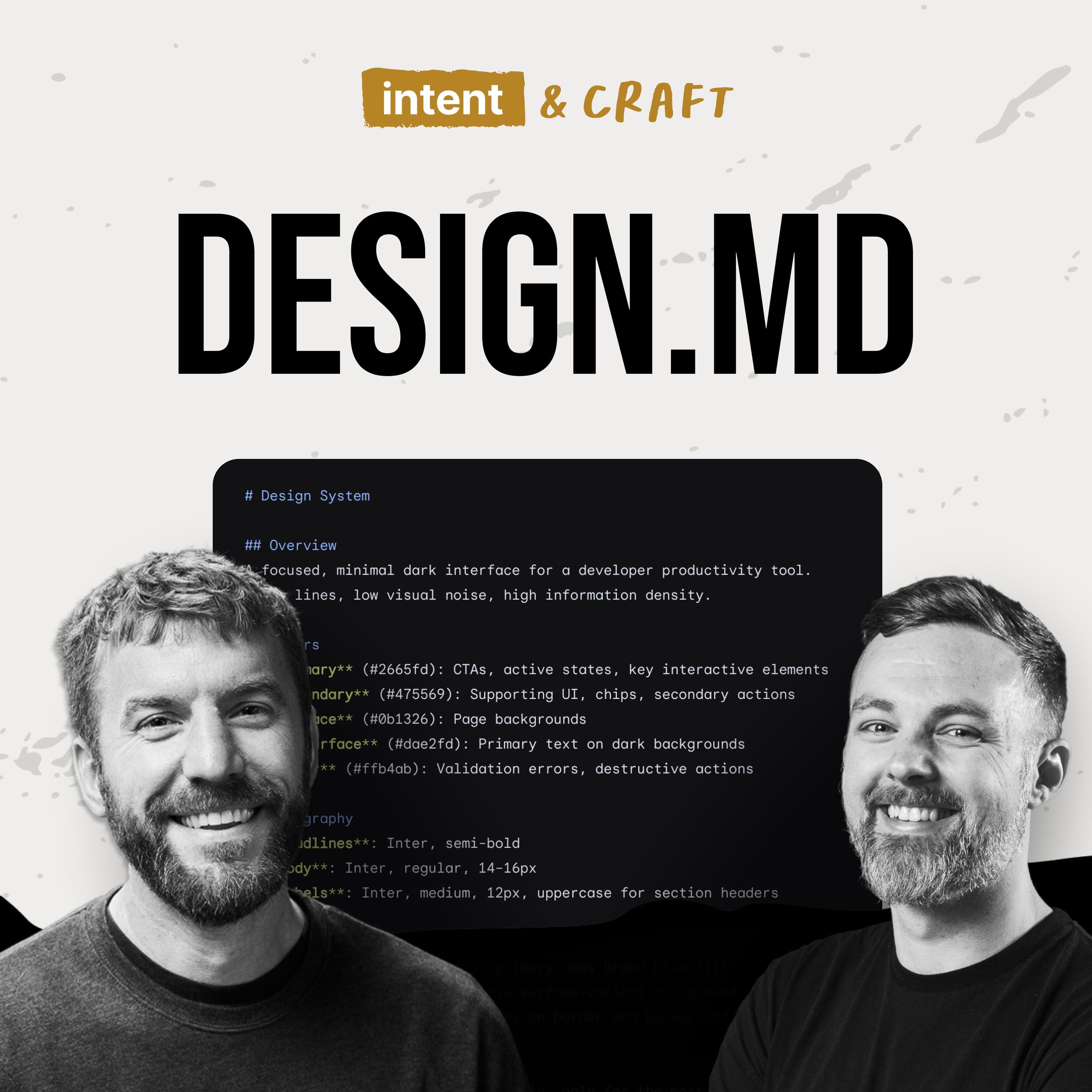
- What DESIGN.md Actually Solves for Design Systems
 Intent & Craft: A Product Design Podcast
21 Sep 2026 · 41m · 13 chapters
What DESIGN.md Actually Solves for Design Systems
 Ask ChatGPT
In short
DesignMD (Google’s YAML spec) for design systems—what problem it solves for AI agents, what belongs in the file, how to keep it minimal, and how it complements MCPs and other agent context. It also covers governance and contribution practices, plus a discussion of Atlassian’s published test results and why results may differ by use case.
Guest backgrounds
Tim Greenmore, development lead at Headway; has worked at Headway for a few years and on design systems for ~3 years, across web/mobile tech (React, Ruby on Rails, Phoenix/Elixir, React Native).
Key claims
DesignMD is portable (YAML) and reduces tooling by acting as a single “source of truth” for design context (tokens, guidelines, component definitions). Start with “essentials” (tokens + basic do/don’t guidance) rather than full component sections. Use DesignMD to serve designers and non-dev teams; MCPs lean more toward developer needs (e.g., React props/APIs). DesignMD may be replaced soon by better context-gathering models, but it’s still recommended.
Notable examples
Teams using DesignMD to generate UI for non-web outputs (slide decks/newsletters) and for org members without access to React UI kits or dev/design resources; governance via shared public channels (Slack/Teams) and GitHub workflows/versioning.
Written by AI. May contain mistakes.
Chapters
Understanding DesignMD and Its Purpose
Tim explains what DesignMD is and its significance in design systems.
“Today we have Tim Greenmore, one of our lead developers here at Headway, to kind of discuss DesignMD, sort of how we're implementing it, and our general thoughts around it.”
Components of DesignMD and Its Advantages
Discussion on the structure of DesignMD, its YAML format, and context integration.
“We've been able to serve customers in a variety of ways and across a variety of platforms.”
Building a DesignMD: Essentials and Guidelines
Tim shares insights on creating a useful DesignMD and the essentials to start with.
“And I know ours, the ones that we've built for customers are a little bit pared down.”
Challenges with DesignMD and Component Definitions
Experiments with DesignMD in Figma, addressing challenges in component definitions.
“Every time you adopt something new, it creates more context and that might be kind of productive.”
DesignMD vs. MCP: Serving Design and Development
Comparison between DesignMD and MCP, focusing on how they serve different teams.
“like for some of our customers, we'll have a mature MCP and we found that like a design MD is still needed for those folks who can't even leverage the MCP for the things that they're building.”
Integration of DesignMD with Existing Systems
How DesignMD enhances current design systems and its implementation.
“So that was a pretty useful win for us when we started to reference DesignMD as the foundation for our MCP definitions that we build around design systems.”
Understanding DesignMD and MCP Integration
Explore how DesignMD and MCP work together to support design and development teams.
“And so MCP along with DesignMD help serve both designers and developers, though there is overlap between both tools.”
Evaluating DesignMD's Effectiveness
Discuss insights on the effectiveness of DesignMD and its use cases in organizations.
“Now, I know at last, you kind of ran a test on DesignMD and published some numbers that, you know, at first glance, don't really flatter DesignMD a ton.”
Introduction to DesignMD and Its Utility
Learn how DesignMD serves as a soft entry into technical product development.
“They might not, they weren't developers, they weren't product designers, they might sit somewhere in between and they're eager to learn those things and they're eager to kind of move to that next more technical spot.”
Managing Contributions to DesignMD
Explore processes for managing open contributions and governance in DesignMD.
“or one of the things that we've done with one of our clients in the DesignMD is, you know, we can't, sometimes there's needs that might be outside of what we have visibility in.”
Show all 13 chapters
Encouraging Engagement with DesignMD
Understand strategies for promoting engagement and tracking contributions in organizations.
“the process, coming alongside after contributions have been made and recognizing those contributions publicly is important.”
Getting Started with DesignMD
Discover how to initiate the use of DesignMD in product development.
“Something that you have to continue to, to work at.”
Final Thoughts and Future of DesignMD
Hear concluding thoughts on DesignMD's evolution and an invitation for user feedback.
“we've mentioned the ability to lint your file to test and validate that it's adhering to the spec itself.”

Ask about this episode
Get the gist, explore an idea or ask about something said.
 Claude
On Intent & Craft: A Product Design Podcast, what are the key points of this episode?
Searching your listeningTranscript
Automatic transcript. May contain errors.
0:00I think with anything right now, it's moving quickly. So whatever tool that we adopt, we want to do so with a bit of an open hand that this might get replaced soon, very quickly. There may be a better way. It might just be the next frontier model that does better in more efficiently collecting context and building from that context, which lessens the need for tools like DesignMD. Welcome to Intended Crowd, a product design podcast where we're getting into design systems, AI and the design process, and what it really takes to scale design systems for software. In this episode, we sit down with Tim Greenmore, development lead at Headway.
0:34We talk about DesignMD, Google's OpenSpec for handing an agent context for your design system in a single file. We dive into what actually belongs in that file, what you can safely leave out. We talk about why we point our design system MCPs at the file instead of generating the file from a library. And we also get into Atlassian's published test results and what to kind of make of them. We talk about some new customers of our design system, members through our orgs that might be building slide decks, landing pages, internal tools, and dashboards who don't have designers or developers on their team.
1:06We talk how we can keep governance and contribution healthy once they show up. Now let's dive into it. Today we have Tim Greenmore, one of our lead developers here at Headway, to kind of discuss DesignMD, sort of how we're implementing it, and our general thoughts around it. Tim, could you give us maybe a quick overview of DesignMD and a little bit about your development background? Yeah, for sure. Thanks everybody for joining us. We've been working with, Billy and I have been working with DesignMD to help drive agentic work with design systems. And we've seen some early returns on that investment and that commitment.
1:41It's been good. So yeah, looking forward to sharing a bit about that experience. For myself, I've been working with Headway for a few years now and been working with design systems for the past three years, primarily working with design systems. And but on the side of that, being able to work across web and mobile with different technologies that Headway uses with whether it be React or Ruby on Rails or Phoenix and Elixir or React Native for mobile. We've been able to serve customers in a variety of ways and across a variety of platforms. And so it's nice to be able to see design systems begin to take sort of center stage with whatever those products are, whether they're web or mobile.
2:24Design systems have always offered a promise of efficiency and maintainability for organizations. And so now with agentic help, that's even more true. So yeah, again, I'm glad to be able to talk about it today a bit. Yeah, awesome. Awesome. Now, DesignMD is really Google's spec. They're kind of the ones who put it out there, kind of made it popular. What is DesignMD really trying to solve? What is kind of Google's intent behind creating that spec and sort of standard for us? What drew us to DesignMD initially is that it's a simple solution. It doesn't have a complicated level of authentication on top of it.
3:07It's portable. I can take it from one model to another, from one provider to another, whether it be Anthropic or OpenAI or even Google itself. And so we like that about it because as we're working with clients, they don't always know exactly what platform they're going to use and build upon. So that's sort of a, it's a must have. We need to have something that can be used as organizations grow and adopt modeling and platforms. And so the design MD format is a YAML format. It's, like I said, it's pretty simple. It gives us a chance to bring all of the different context for a design system, context that's often spread across Figma files or Confluence documents, bring that context into, like I at a single file and agents are able to look at that file and reference it repeatedly as needed on demand in the context of a project and apply the same context that you want your designs to use.
4:15So colors, fonts, spacing, general guidelines as to when to use certain colors, fonts, spacing, there's component definitions within it so there's it's a fairly rich amount of context a fairly rich context given the simplicity of of it just being a yaml file and so there's additional tooling on top of what the file is and the specification that google's provided and that tooling helps with validation it helps with additional portability options so you can take that same thing that your same design and defile and generate other formats if if that's something that you need so it in a lot of ways has become a single source of truth for us as we have then built additional tools and conveniences for developers and designers for our clients yeah absolutely one of the things that i think is interesting with the like the two have so you You know, we talk a little bit about the YAML token definitions at the top, and then we kind of have the heavy markdown pros down at the bottom.
5:21And I know ours, the ones that we've built for customers are a little bit pared down. But in your opinion, because they can get really lengthy when we start adding all the component definitions and things like that. In your opinion, what's the shortest useful version of a design MD? and is there anything like deliberately that we'd thought that we might have pulled out and just taken out because it didn't make sense at least for our use cases yeah yeah so starting with the essentials starting with your design tokens so making sure that you have well-defined colors and units of spacing and and type and certain dimensions that might be part of your design system making sure you have those essentials as the very foundation of your design MD and just starting with that.
6:09So the beauty of it is you don't need to start with fully build out design MD. You don't need to adopt every portion of the spec that Google's defined in design. MD, you can start with tokens like your sandbilly. And then as you begin to see the benefit of design MD and you validate that, which you've already established in the form of design tokens, then you can begin to add in more. And so what we've started is just that. We started with the essentials. What are the common design tokens? Then we begin to add in different guidelines as to when those tokens are to be used or when certain components are supposed to be used.
6:49And so as we've done that, again, then we can sort of go back and validate it. Is this actually giving us the result that we hope it does for designers and developers? Now, there's some sections of the spec that we haven't leveraged yet. and there's a component section, for example. Now, part of the reason we haven't adopted that is we brought this into an existing, well-established design system. We've adopted DesignMD after we've established that design system, which means we've already had definition, context in Figma, and we've had a UI kit that we built out. And so the component section of DesignMD, it's not needed.
7:27We haven't had a strong felt need for it because of the existence of and the maturity of the design system. we've adopted it into. Now, if it was a newer design system and potentially as this, you know, as our design systems grow and mature, potentially we'll have a need for it. If it's a newer design system and you want your agent to use components in Figma under certain conditions and using certain properties, it's a useful solution. But again, for us, it wasn't necessarily the case. And so your situation is unique and our best advice would be to adopt just the thing that you know you need, design tokens, guidelines, and then begin to expand it.
8:11Every time you adopt something new, it creates more context and that might be kind of productive. And so you want to make sure you're giving in the agent just enough, but you don't need to give it more than it needs to do, the task that you're asking. Yeah, I know early on when we were doing some component definition explorations with the DesignMD and we were building the Figma Make library. And for whatever reason, Figma Make really struggled reading our design components from the design library and being able to recreate those in their Figma Make library. So we did leverage some of the component definitions in a separate file, not the one that was publicly available for everyone else on the team to recreate those.
8:54And it worked a lot better. There was still a little bit of nuance to kind of get those things, those things isolated. So that was one of the experiments we've done with the component definition. And I think like we're starting to see different customers of the design system that might not have access to the core components. And they might be using a little bit more generative UI through cloud code and things like that. And they're starting to show up as sort of customers of the design system. And so I think there is a little bit of a conversation of how do we help them define components for them.
9:31From what we've seen, most of the stuff looks, they have the token definitions now. Most of the components look okay, but they're not as close as we would like. So it'd be an interesting evolution as some of those teams who don't have, they're not using the actual design system. They can't use the actual design system. They don't have development resources. They don't have design resources, how they'll consume that in the future. Yeah. Yeah. If I could add to that, Billy, that's a good point where an organization that's large enough that has a design system, not everybody is able to use your React UI kit, for example.
10:07And so DesignMD becomes the thing that their agent can leverage to produce something that's design system informed and provides at least aesthetically consistency with the design system. So yeah, so there are different customers even within the same organization for what DesignMD needs to do. and it's been our solution to help them apply the design system to something that's not React in this case. Yeah, and I think based on that, like for some of our customers, we'll have a mature MCP and we found that like a design MD is still needed for those folks who can't even leverage the MCP for the things that they're building.
10:53So it was one of those things that maybe at first we thought, we don't need this, but we did find kind of use for it. Speaking of the MCP, you know, in some of our webinars, we have a diagram where we kind of show how we think through where the design MD kind of sits in that structure. And we know some teams generate their design MD from their core library. In our diagram, we kind of have the MCP and the component library, whether that be the Figma library, inheriting from that file Could you talk us through maybe like the differences between those two approaches, you know, using the design MD sort of as the source of truth for those versus something else in generating that out?
11:38Yeah, yeah, that's really good. Design MD opened up another, just another option for us when we published a design system MCP. So prior to design MD, we would extract variables from Figma and we'd build some tooling in order to do that. And then we'd extract that design knowledge from Figma. We would bake that knowledge into an MCP and then configure your agent pulling the MCP and you'd have design system context available to your agent right then and there. The limitation in that is it was primarily, not exclusively, but it was very heavily weighted to the development side of your team. And it wasn't exactly serving the designer.
12:28And so the ability for us to instead have something like DesignMD, I would say primarily serves designers, though it does serve both design and development. It just doesn't fully serve and meet the needs of the development team. Having that DesignMD file, which can then be the source of context for the MCP that we published that did a couple different things i mean it helped minimize the amount of tooling we we need to write to pull that knowledge out of figma into the mcp because now we just pull from the file a well-written spec right so it's there's definition there and so you can build tooling around it in a reliable way and now but now because you're doing that you have sort of one still one single location for truth and you have a solution that serves design and development when it comes to generative AI work.
13:24So that was a pretty useful win for us when we started to reference DesignMD as the foundation for our MCP definitions that we build around design systems. So like I mentioned, MCPs lean towards serving the development side, DesignMD leans towards serving the design side. Just a little bit more about that. You know, the thing that DesignMD doesn't provide an agent with is a list of props that your react component has and so if you can give an agent that definition that api to your component in react form directly you save cycles you save time and you get a more accurate output from your agent there's the component section in design md but again that's there's a difference between your ui kit and components that are figma And so that component definition leans toward serving designers and your design tooling.
14:26And so MCP along with DesignMD help serve both designers and developers, though there is overlap between both tools. Yeah, I always feel like the component definition is more one of the questions I ever talked a little bit about. It's like rebuilding. It's instructions to rebuild those components. And the thing that, and maybe this is, we can talk about this a little bit. Like if the MCP is kind of loading the context on demand of the different components, props that it has, things like that. And then DesignMD is kind of giving those instructions. We always talk about like, well, where does the design philosophy, where does that tell when to use what, when not to use a specific thing?
15:08We've put some of that information into like Figma descriptions and really hoping to leverage design of deeds do more of that? Or is there a better place for that kind of instructional use? Is that something that maybe goes into our agents file? Because the concern is like the design of deeds can get really long if we're filling out, here's every component, here's the definition, here's when to use it, when not to use it. Or is there a version that's maybe chunked out a little bit? Do you have any thoughts around on how to effectively place those instructions so that agents know when they should be using something or how to configure those things correctly yeah that yeah it's a really good question right if you talk about a single yaml file like in theory that file is you're putting a lot of weight on a single file so it's important to consider like when do we outgrow this identify and anticipate like when when would we actually as an organization outgrow this single design md spec what we found is when you don't zero in on a single part of tooling around agents, you're just better for it.
16:12And so what I mean by that is if, if we were to put everything in MCP, we would lose knowledge and opportunity with things like a prompt or a resource or a hook, different options that agents have at their disposal to help serve you better with the prompts that you feed it. So same thing with DesignMD, right? We don't want to put too much into that in a way that we miss other levers that we can pull to provide a better result. Things like routing, if you have an agents MD file, which I'm sure you do, you should. If you don't, at part of your project, that agents MD can help guide the agent when to use design MD.
16:55And there might be instances where you say, don't use DesignMD here because I've got this other resource for you to answer the question worth. So you can begin to separate some of the resources and context that you have into different files. Use a skill file when you can. There's a lot that you get from DesignMD. And one of the benefits of what Google's created is, like I mentioned earlier, you can use the tooling that comes with the spec to validate that one you have, you've adhered to the spec, which is helpful. There's times where you might have to diverge from it. Organizationally, you might just say, well, this is our constraint and therefore we can't adhere to it perfectly.
17:38But it helps to know when you're diverging from it, not just plainly diverging from it. You said you can generate other resources from that single YAML file from your DesignMD file using Google's tooling. And so you could use DesignMD with the tooling to generate a skill file, or you could partition off some of the knowledge in that file into some other context, which you then route your agent to under certain conditions. What are your thoughts been on that, Billy? What have you seen? Yeah, I mean, like we've talked a little bit about, like, it's really validating for teams who don't have access to the designs that sort of be able to use that.
18:18And we've used it in probably not the way necessarily Google is intended with, you know, building those Figma make components, like having those instructions and those definitions in there. And I know, you know, we've extended sort of the format because at least as of this recording, there is no multi-theme support in there in light or dark mode. So we've based on some of the conversations in GitHub, we've extended it on our own. And I think it does do a really good job of building that set of instructions for teams who can't necessarily use the components. so it allows them to generate things that look similar.
18:59And the thing that I care about the most is like, well, how do we tell agents to use components correctly? When to use things? When do we define those things? And we can put some of that stuff into the key characteristics and put some of that stuff in the dues and delts. And just finding that right balance to really make it effective for teams so that a designer comes up and says, well, actually we should never use a segmented controller here because Cloud Code decided to put a segment controller in there. It's like, well, it's just instruct the agent. So it knows those things and have them in there.
19:29Yeah, that's good. Yeah, do's and don'ts go a long way. Yeah, yeah, exactly. Like how do we incorporate more of the design philosophy in the rules there?
19:40Tim Gremore: Today's episode is brought to you by Headway. Do you need to design and build a world-class user experience for your software? But feeling like you just can't get there on your own? That's where Headway comes in. We're the folks who help ambitious startups and enterprise teams bring their product ideas to life through design, development, and product strategy. We don't just give you user interface designs and leave you to figure out the rest. We work with you and your target customers to create beautiful user experiences, build scalable design systems, and provide Silicon Valley-level talent to get it done right the first time.
20:15Tim Gremore: Whether you're launching a new software or just looking to add features, we've got your back. We've worked with startups in industries like logistics, healthcare, fintech, and edtech, helping them solve their biggest software challenges. And here's the thing, no matter how complex your product is, we can help you gain clarity and get the job done together. We're so confident that we'll be the right fit that we offer a 50 % money-back guarantee if you don't think we're working out within the first 45 days. Ready to see how we can help you and your team? just head over to headway.io and book a free consultation today.
20:56Now, I know at last, you kind of ran a test on DesignMD and published some numbers that, you know, at first glance, don't really flatter DesignMD a ton. Does that change like your mind specifically about anything? Or are they really measuring a different job than the one that we kind of see the file, you know, the job that serves us versus what they are kind of looking at. Yeah. It gives me caution for sure. Right. Like I'm interested in what other organizations of significant size are doing. How are they, what are they benefiting from and what are they skipping? I, I think with anything right now, it's moving quickly.
21:36So whatever tool that we adopt, I want to do so with a bit of an open hand that this might get replaced very quickly. There may be a better way. It might just, it might replace, might just be the next frontier model that does better in more efficiently collecting context and building from that context, which lessens the need for tools like DesignMD. So I'm aware of that reality and I'm sure everybody is at this point. Your situation is unique. And for us, our situation is such that we're serving multiple products across an organization, multiple platforms, and multiple teams who all have somewhat some independence in what they choose to and how they choose to build and design.
22:22And so we need something that serves a variety of use cases. And I don't know that that's true of a company like Alassian. They may have a bit of a narrower scope in some sense because of their products. And so there's a difference in our use case than what Alassian's is. The need that we had when we first adopted design in D again, it's potentially, it's going to change over time. It may have changed already. And so what Atlassian's reporting is, is just a different use case in a different time than what we've seen. So I, as of today, I would continue to recommend DesignMD. Obviously we are in this podcast, but again, like keeping it a bit open-handed, at least a loose grip on it, knowing that there might be a better way that is devised to give your agent design system context.
23:10Yeah, I think one of the, their big thing was it gives instructions to rebuild components instead of using an existing library. which I mean that's sort of what the component definition is and that could invite your agent to build another button instead of using the one that's there but I think like across some of the different products that we've worked on and some of our different clients we have clients where design MD is the is their design system everything is built in a generative UI tool the design system is the design MD it gets evolved it gets updated everything's being built with cloud code and that is how they're standing up landing pages.
23:51That's how they're standing up different flows and they don't have designers on staff and our design team is helping them navigate that space and do that. They don't have heavy development resources. They kind of stitched different tools together to create what they needed and they have a variety of front libraries and things like that. And that's like a really great use case for it. And then we've also found that exists, like you were saying, Tim and some of our bigger clients where they have members who need to build UI, but they have no developers. They have no design resources and it helps deliver them what they need.
24:27And we've used it to do Figma make components early on. It's helped a lot. So we've found a lot of value in these little pieces that maybe it's not super intended for, but it has helped in empowering some of these members on teams who might not have access to suite of tools or a team who doesn't have the resources is to build an entire design system from the ground up. And just to add to that too, Billy, you know, I think in current state and probably for the foreseeable future, like having a team that can help pinpoint, given our context and our situation, what is the tooling that will help us reinforce the design system and get the value out of our design system?
25:06Whether the design system exists today or will exist soon, like what is the tooling that we can build to meet our specific needs. And so maybe, again, maybe in Atlassian's case, that isn't DesignMD or it's negligible as to whether that's going to be a benefit to them. But having somebody that can help pinpoint the why and then the what behind those decisions is a really important thing to have right now. Yeah, absolutely. And with that, we talk about the use case of empowering those members on teams and we've given some of them DesignMD And even if they are building, for example, one of our clients are building in React Native, that's what the design system is in, and they are building in that.
25:51And how do you feel like they start with DesignMD, they're kind of building up the things that they need, generating UI. Do you think there's an evolution or a next step where maybe they're not using DesignMD and we just get them up and running with the MCP and they slowly transition out of that? if they are building in the same front end language? That reminds me of design system adoption is one of the biggest challenges that we've all faced. And so getting team members across an organization to commit to using the design system, whether you're a designer or a developer, or even in product marketing, whatever your role is, you have some level of commitment to the design system.
26:35And so to answer your question, The design system helps you establish your product, get to a certain level of maturity with your product. Do I need my design system anymore? I would say, yeah, you need it more than ever. The thing that got you to where you are is the thing that's going to help sustain your product and keep it maintainable and predictable. So I would say you may not be contributing back to the design system as frequently as you were in the beginning, but it doesn't mean you don't need the design system anymore. And so when there is, there will be a learning, there will be something that the design system has to accommodate in the future, no matter how mature your product is.
27:15there has to be a culture of contribution and commitment to bring that back into the design system which then helps feed future product design and development so i would say there's there's never not a point where you need your design system the tooling around it might change so you might you know maybe you do say and maybe this is the heart of your question marcel billy but maybe you do say design md isn't needed but i i wouldn't say that without having a replacement It just means you've got a better way to get your agent the context of your design system. Yeah. And that's totally fine. But you would never just abandon the thing because you need your design system.
27:57That's just how it is. Yeah. Yeah. And I was kind of thinking of it as like some of these folks aren't, you know, might not be very technical or this is the first time of them doing like really technical work in the sense of like actually developing UI, developing product. and design md feels like a good like soft start into using into using getting components up and running getting the brand philosophy look and feel into their product and then at some point you know when they have a little bit more appetite for it because if they're going to use the mcp it's a little bit more work there is more understanding they have to have about the different tools that are available uh it seems sort of like that next level and we have some folks on some of the teams that we work with who are eager, right?
28:43They might not, they weren't developers, they weren't product designers, they might sit somewhere in between and they're eager to learn those things and they're eager to kind of move to that next more technical spot. And, you know, as a design system team, you know, we're kind of want to help shepherd them to, to get there and get to the right, the right level of, of need and the right level of like tooling and make it real as easy for them as possible. I think we've both seen this ability where organization is using DesignMD, using the design system for web and mobile product development. But what we then begin to see shortly after that is slide deck creations.
29:25Yep. Newsletter creation. And so then the question naturally becomes, well, how can I, oh, this is great. I use my agent to create the slide deck or help create my slide deck or my newsletter? How can I make that adherent to my design system? Well, DesignMD is a fine solution to that problem to help very easily, very low-tech, equip somebody who's developing those non-web and mobile products with the design system. Yeah, absolutely. Yeah, it's really helpful there. In one of our thoughts, or one of the things that we've done with one of our clients in the DesignMD is, you know, we can't, sometimes there's needs that might be outside of what we have visibility in.
30:11And we always kind of want to promote this open contribution model. How do we, with DesignMD, how do we manage sort of the governance around that? Could you talk us a little bit through about that process? Because I know that's something that we care a lot about is allowing others to contribute back into that and evolve that. How do we manage that for some of our bigger clients. Yeah. Yeah. This is a kind of the unanswered question, I think for a lot of organizations. And so how we've tried to answer that is make sure that there's multiple channels of communication and we do our best to make sure those channels are publicly available.
30:50So if it's a question that designer or developer has, we try to point them to the same shared channel, whether that be in Slack or teams or wherever your, whatever, wherever your chat might be happening, make sure they're in a place that others can see. And we've found that it's important to point both designers and developers, that same resource so that as, as something on design is newly developed or ready to be developed, there's shared knowledge across, across disciplines. There's things that like, I know Billy, you and I have answered for one another simply because while we are in the same channel, we know that the question was been raised and we hold the knowledge to help.
31:31So one, like making sure that there's publicly available conversations happening within your organization. Once you have ideas that come to you, whether it be through chat or however folks are reaching out to you from the organization with questions or ideas about the design system, you're affirming the thing that they're asking of you. Like, oh yeah, like I, That's a really good question. I don't have to answer for you right now. Let me talk with the team, with the design system team. And then you're following up with them quickly. So just some very basic communication goes a long way toward helping build trust with the design system and even lowering the fears that some might have about asking questions and the approachability of your team.
32:13And then offering to help usher them through and support them through a contribution. So if it's development side, having clear steps as to what needs to happen for the code contribution to be made back into the design system and then walking with them through that process and even offering to take over some of that work if they get to a place where they're not prepared to finish the work or they simply have limited time to do so. So being able to, again, work with them, come alongside them, even take over the work that they start but are unable to finish for whatever reason. Being able to then celebrate on the backside of contributions, again, publicly, like acknowledging folks that contribute, making sure that others in the organization see the work that's been done and then calling out how it benefits, being explicit.
33:07it, like this is this new component is going to help such and such a team achieve their, their goal. Being able to call out those specifics also helps encourage others to, to contribute. And it might not be code. It might not be design. It might just be conversation, but those are all meaningful contributions that have helped us in the past to mature design systems. So I would say public conversation support when it comes to contributions and invitations to users who ask questions, invitations for them to do the actual work of the contribution, supporting them through the process, coming alongside after contributions have been made and recognizing those contributions publicly is important.
33:54Yeah. How, how have you seen really in addition to that, what else have you seen encourages governance and equips us for governance? Yeah, I was just thinking like public channels are a real big win across an organization. I think that's where we found a whole bunch of customers that we could serve through DesignMD because somebody created a MD file from some brand standards and posted it as just like an off comment. Hey, I put this together because I'm putting a slide deck together. And we saw that and we were able to essentially engage with them and work with them to leverage the design MD. And that was sort of a success story there.
34:38And then come to find out through that conversation, oh, we have all these other folks who are also asking those questions who we didn't traditionally look at customers for the design system. And we were able to serve them and get them to use it. And that's been really helpful. And now they'll still come through the support channel for updates and requests. We're trying to, I know like using the GitHub workflow and making changes to the design MD and putting that in might be a little intimidating for some folks. But we do have teams where designers are managing that workflow and updating the design MD and versioning through that because everyone has access to it.
35:18Sometimes bigger organizations, they might not. So you're going to have to store the file maybe somewhere else. but it's made us kind of think about how do we open up that contribution model more and then really how do we track that as part of our engagement metrics too because we have all these new customers who might not be engaging with the design system in the way that design and developers are engaging with the design system. They're not using the Figma component library. They're not using the coded components. They might not be coming to office hours because they're not having these technical questions but they're still using it and they're still leveraging it and they're still part of that engagement and adoption metrics.
35:54So I want to make sure we include them and call out those wins because I think that's a really compelling story for leadership too. So the design system is expanding into these roles that maybe you didn't think that it would and continues to demonstrate the value of a very foundational piece for every modern product. Yes. Yeah, that's good. Yeah, it's an active thing. It's not ever sold, contribution model. Yeah. Something that you have to continue to, to work at. And it's one of the most important parts of the design system. Yeah. Ongoing work to continue to get folks using it and engaging with it and kind of keeping that conversation going.
36:35Right. So sort of in, in, in closing here, like if we had folks, folks wanted to dive into DesignMD and start thinking about how it might empower their products now or help members on their team, where would they start? What is a good maybe resource or two or some thoughts? I understand it's going to be use by use or use case basis because every team's going to be a little bit different, which we have seen. Where might be a good starting point to kind of hit the ground running? Yeah, that's a good question. Whether you have a design system, it's mature, it's new, or you're just looking to get started establishing a design system, DesignMD is worth looking at.
37:20I would recommend just starting with the documentation. I would just start with a GitHub page, to be honest, and then looking at the spec itself and get to know the high level, the root level sections of that and get familiar with what it provides you, what it offers you. that's the first place I would start and then like we said earlier just starting with the essentials starting with different tokens essential tokens and then you can always add it to a project and begin to iterate on it from there but I would start getting to know those high level sections of of the spec and then I would look at the different tools that designmd provides so we've mentioned we've mentioned the ability to lint your file to test and validate that it's adhering to the spec itself.
38:08Get to know that, potentially even include that in your CI workflow so that depending on how well the spec maps to your organization's needs, if you can adhere to the spec faithfully, then I would encourage you to do that. And if you can, then you can include that in your CI workflow to make sure you don't diverge from it over time. The other thing is if you have some exceptions where you need from your design MD file, you might need to generate other versions of it or other tools based on that information. Again, leverage DesignMD and get to know the tools that it provides to help generate that derivative of the DesignMD file.
38:49And again, it doesn't have to be an all or nothing. It can be a complement to your existing agent context. It probably will always be a complement, but what we found is that it ends up serving some of the other context provider agent. It ends up serving our MCP in particular. So that's where I would start. And then get to know, read and study how others have used it, like Atlassian's experience. Get familiar with it. Maybe their experience maps very closely to your circumstance. And get to talk to others and see what they've learned from using it and adopting it. Yeah, absolutely. Well, thank you, Tim, for popping on to talk about DesignMD.
39:31I'm eager to see how we continue to evolve it on various clients of various scales, whether it's big enterprise customers or a little bit smaller. Maybe we'll see, we'll do another one of these in six months and see what has changed and what we've learned and chat about how our new thoughts about it. Yeah. Yeah, for sure. We love to hear from folks too. So as you explore this and, or you've already explored it, you know, we'd love to connect with you. So let us know what your experience has been because it's an exciting time. There's a lot to keep up to, but it's an exciting time and it's fun to be able to improve design and development efforts.
40:13Absolutely. All right. Thank you, everyone. Thanks, everybody. Thanks for watching Intent and Craft. Want to support the show? Subscribe and turn on notifications so you never miss an episode. You can also share it with your team or leave a rating and review to help other designers and product leaders find us. We'll see you next time.
From the publisher
"I think with anything right now, it's moving quickly, so whatever tool that we adopt, I want to do so with a bit of an open hand that this might get replaced soon, very quickly."
In this episode, we sit down with Tim Gremore, Development Lead at Headway, to dig into DESIGN.md, Google's open spec for giving an agent context about your design system in a single file. Tim shares how Headway adopted DESIGN.md to drive agentic work with their design system, what actually belongs in the file, what can safely be left out, and why they point their design system MCPs at the file instead of generating it from a library.
The conversation also covers Atlassian's published test results on DESIGN.md and what to make of them, along with a new kind of design system user showing up across organizations, team members building slide decks, landing pages, internal tools, and dashboards without a designer or developer on their team, and how to keep governance and contribution healthy once they do.
Tune in to learn:
How to decide what belongs in a DESIGN.md file and what to leave out as your design system matures
The difference between using DESIGN.md as your source of truth versus generating it from a component library
How to build a healthy contribution and governance model as new types of users adopt your design system
Jump into the conversation:
(00:00) Intro
(01:11) Tim's background and DESIGN.md overview
(02:40) What DESIGN.md is trying to solve
(05:08) The shortest useful version of a DESIGN.md file
(08:26) New design system customers and generative UI
(10:39) DESIGN.md vs. MCP: source of truth approaches
(14:40) Where design philosophy instructions belong
(20:58) Atlassian's test results on DESIGN.md
(23:12) When DESIGN.md becomes the whole design system
(25:35) Evolving from DESIGN.md to MCP
(29:12) DESIGN.md for slide decks and newsletters
(29:58) Managing governance and contribution
(36:40) Where to start with DESIGN.md
Connect with Tim Gremore: https://www.linkedin.com/in/timgremore/
About Intent & CraftIntent & Craft is a product design podcast from the team at Headway. We dig into design systems, AI in the design process, and what it really takes to scale design for software. Made for design leaders, product leaders, and the teams building alongside them.
Headway is a full-cycle product studio. We work in four areas: design systems, digital transformation, new products, and artificial intelligence. We partner with growth-stage B2B SaaS companies, mid-market teams, and enterprise innovation groups.
Hosts
Billy Sweetman, Head of Design at Headway
Breanna Shappy, Design Lead at Headway
Connect with the Team
Billy Sweetman: https://www.linkedin.com/in/sweetman/
Breanna Shappy: https://www.linkedin.com/in/breanna-shappy/
Melissa Gallagher: https://www.linkedin.com/in/melissacgallagher/
Sam Pecard: https://www.linkedin.com/in/samuelpecard/
Related Links
Headway Website: https://www.headway.io
Intent & Craft Website: http://intentandcraft.com/
Headway on LinkedIn: https://www.linkedin.com/company/headwayio/
Newsletter: https://www.headway.io/the-manifest
Got a topic idea or want to be a guest?
Reach out to us on LinkedIn or email Billy Sweetman at [email protected]